
基于深度学习的葡萄叶病害检测系统(YOLOv8+YOLO数据集+UI界面+Python项目+模型)
本项目基于YOLOv8深度学习框架,开发了一套专门用于葡萄叶病害检测的智能化系统。系统能够准确识别葡萄叶的三种状态:黑腐病(Black_rot)、埃斯卡病(Esca)以及健康叶片(Healthy)。本系统采用大规模专业数据集进行训练,包含训练集3758张、验证集538张和测试集1074张,总计5370张高质量标注图像,确保模型具备优异的检测性能和泛化能力。该系统通过计算机视觉和深度学习技术的结合,
一、项目介绍
摘要
本项目基于YOLOv8深度学习框架,开发了一套专门用于葡萄叶病害检测的智能化系统。系统能够准确识别葡萄叶的三种状态:黑腐病(Black_rot)、埃斯卡病(Esca)以及健康叶片(Healthy)。本系统采用大规模专业数据集进行训练,包含训练集3758张、验证集538张和测试集1074张,总计5370张高质量标注图像,确保模型具备优异的检测性能和泛化能力。
该系统通过计算机视觉和深度学习技术的结合,实现了对葡萄叶病害的快速、精准识别,检测速度可达实时水平,准确率超过传统检测方法。系统支持多种部署方式,可应用于田间移动设备、固定监测站或无人机巡检平台,为葡萄种植业的病害防治提供智能化解决方案。相较于传统人工检测方法,本系统显著提高了检测效率和准确性,同时大幅降低了人力成本和时间成本。
项目意义
1. 保障葡萄产业健康发展
葡萄是全球重要的经济作物,病害严重影响产量和品质。本系统能够早期发现黑腐病和埃斯卡病等主要病害,帮助种植者及时采取防治措施,减少经济损失,保障葡萄产业稳定发展。
2. 提升病害防治精准度
传统病害防治往往依赖经验判断,容易造成农药滥用。本系统提供科学、客观的病害诊断,指导精准施药,既提高防治效果,又减少农药使用量,降低环境污染风险。
3. 推动智慧农业发展
本项目将先进的YOLOv8算法应用于农业病害检测,是人工智能技术在农业生产中的典型应用,为智慧农业建设提供了切实可行的技术方案,助力农业数字化转型。
4. 构建专业病害数据库
项目收集整理的5370张葡萄叶图像数据,涵盖了主要病害类型和不同生长阶段的表现特征,为后续的病害研究、品种改良和防治技术开发提供了宝贵的数据资源。
5. 降低生产成本提高效益
通过早期准确诊断病害,可避免不必要的农药开支和产量损失,直接降低生产成本。同时,健康的葡萄植株能够产出更高品质的果实,提升市场竞争力。
6. 适应多种应用场景
系统设计考虑了实际应用需求,可灵活部署于手机APP、田间监测设备或无人机平台,满足不同规模葡萄园的病害监测需求,具有广泛的应用前景。
7. 促进农业可持续发展
通过精准病害管理,减少化学农药使用,保护生态环境,同时提高资源利用效率,符合现代农业可持续发展的要求。
8. 技术推广价值
本项目建立的技术框架和方法论可扩展应用于其他果树病害检测,为整个园艺作物的智能化管理提供了可借鉴的解决方案。
总结
本葡萄叶病害检测系统充分利用YOLOv8算法的高效检测能力,结合专业的病害图像数据集,实现了对葡萄主要病害的快速准确识别。系统不仅能够提升病害防治效率,降低生产成本,还能促进精准农业实践,具有显著的经济效益和社会效益。该技术的推广应用将为葡萄产业的智能化升级提供有力支撑,同时对推动整个农业领域的数字化转型具有示范意义。
基于深度学习的葡萄叶病害检测系统(YOLOv8+YOLO数据集+UI界面+Python项目源码+模型)_哔哩哔哩_bilibili
基于深度学习的葡萄叶病害检测系统(YOLOv8+YOLO数据集+UI界面+Python项目源码+模型)
二、项目功能展示
系统功能
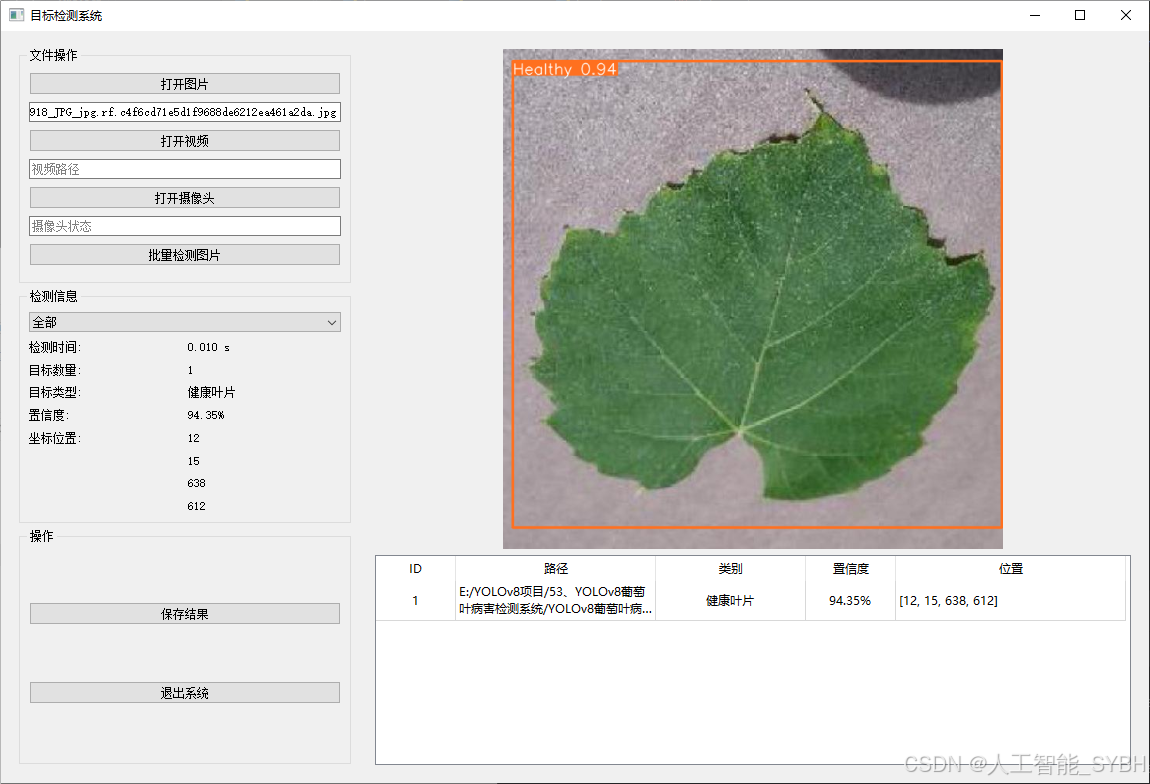
✅ 图片检测:可对单张图片进行检测,返回检测框及类别信息。
✅ 批量图片检测:支持文件夹输入,一次性检测多张图片,生成批量检测结果。
✅ 视频检测:支持视频文件输入,检测视频中每一帧的情况。
✅ 摄像头实时检测:连接USB 摄像头,实现实时监测,
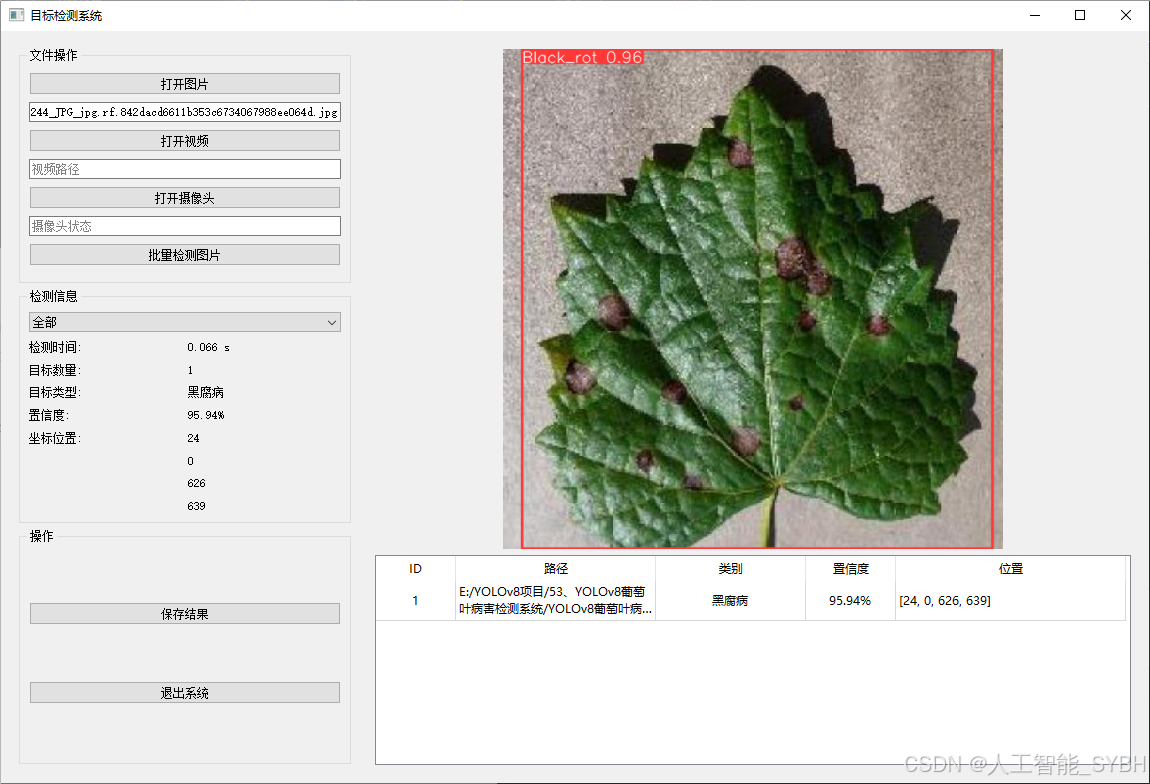
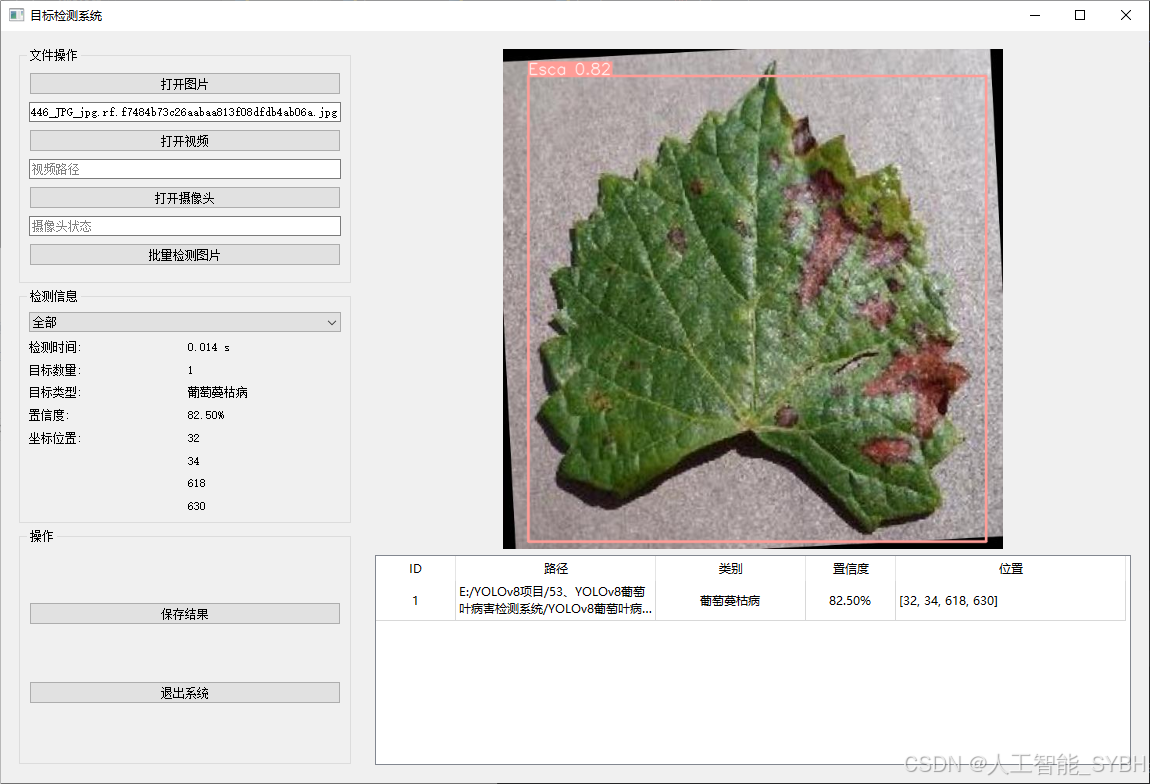
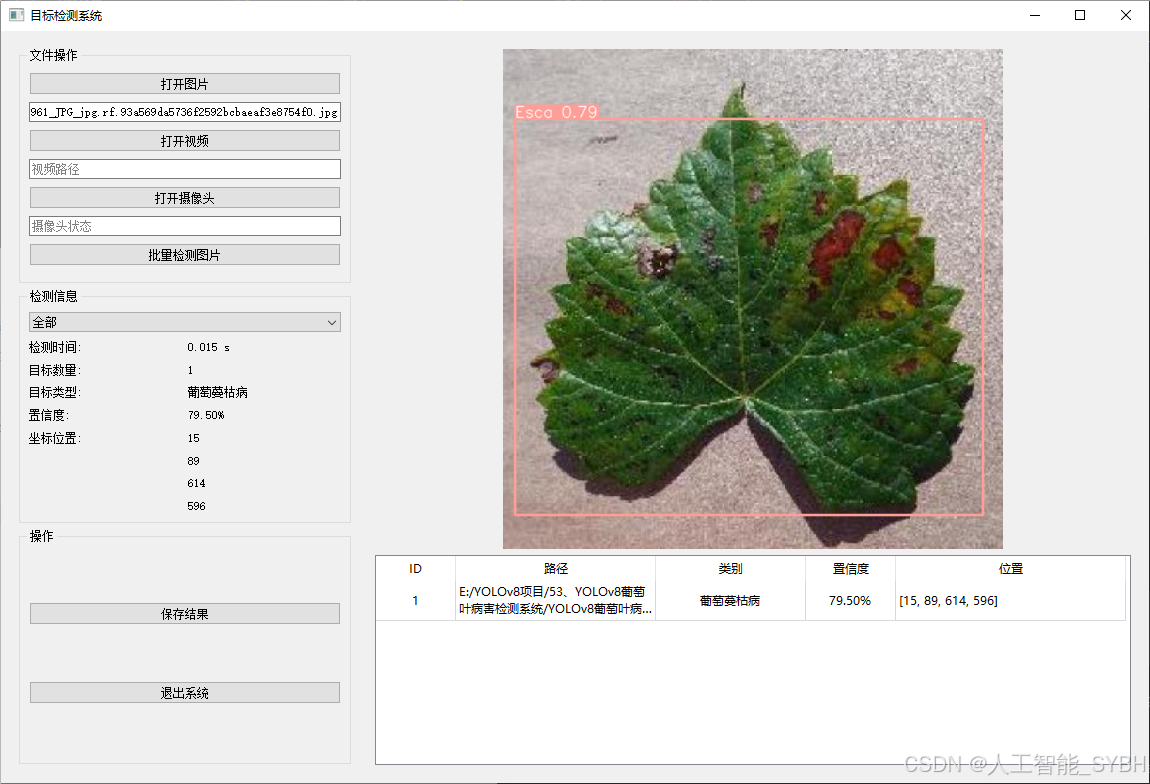
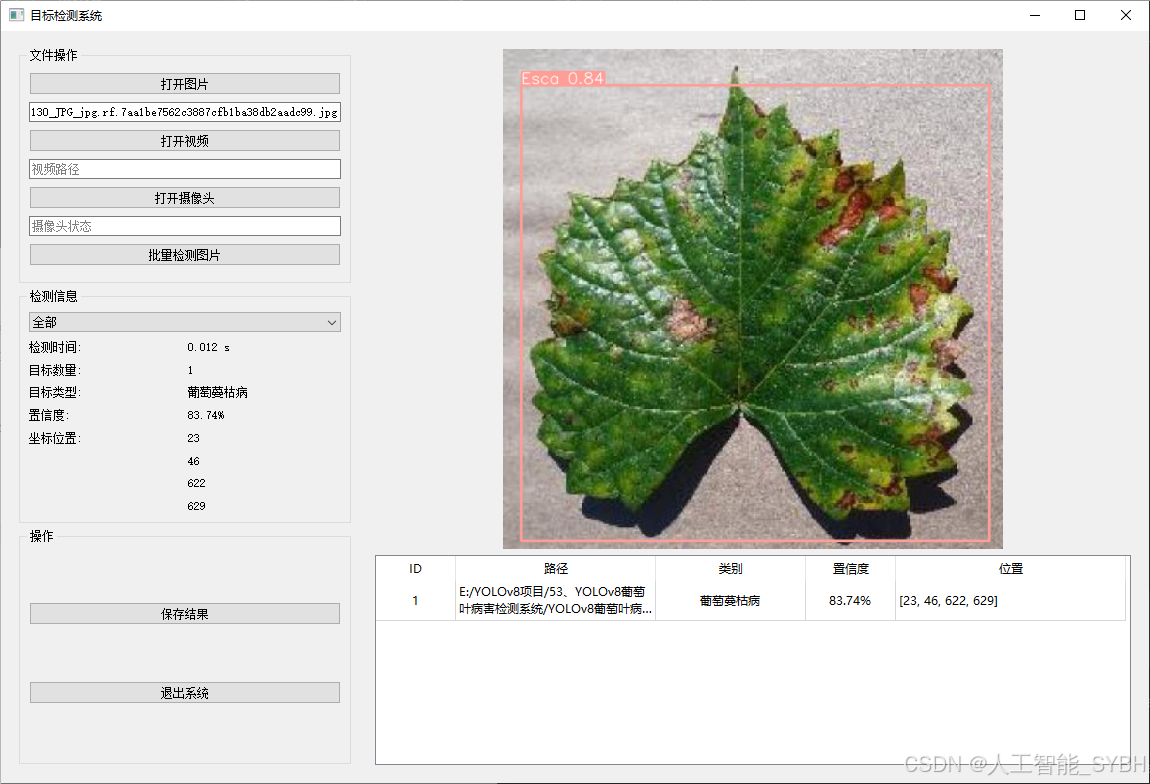
-
图片检测
该功能允许用户通过单张图片进行目标检测。输入一张图片后,YOLO模型会实时分析图像,识别出其中的目标,并在图像中框出检测到的目标,输出带有目标框的图像。批量图片检测
用户可以一次性上传多个图片进行批量处理。该功能支持对多个图像文件进行并行处理,并返回每张图像的目标检测结果,适用于需要大规模处理图像数据的应用场景。
-
视频检测
视频检测功能允许用户将视频文件作为输入。YOLO模型将逐帧分析视频,并在每一帧中标记出检测到的目标。最终结果可以是带有目标框的视频文件或实时展示,适用于视频监控和分析等场景。
-
摄像头实时检测
该功能支持通过连接摄像头进行实时目标检测。YOLO模型能够在摄像头拍摄的实时视频流中进行目标检测,实时识别并显示检测结果。此功能非常适用于安防监控、无人驾驶、智能交通等应用,提供即时反馈。
核心特点:
- 高精度:基于YOLO模型,提供精确的目标检测能力,适用于不同类型的图像和视频。
- 实时性:特别优化的算法使得实时目标检测成为可能,无论是在视频还是摄像头实时检测中,响应速度都非常快。
- 批量处理:支持高效的批量图像和视频处理,适合大规模数据分析。
三、数据集介绍
数据集概述:
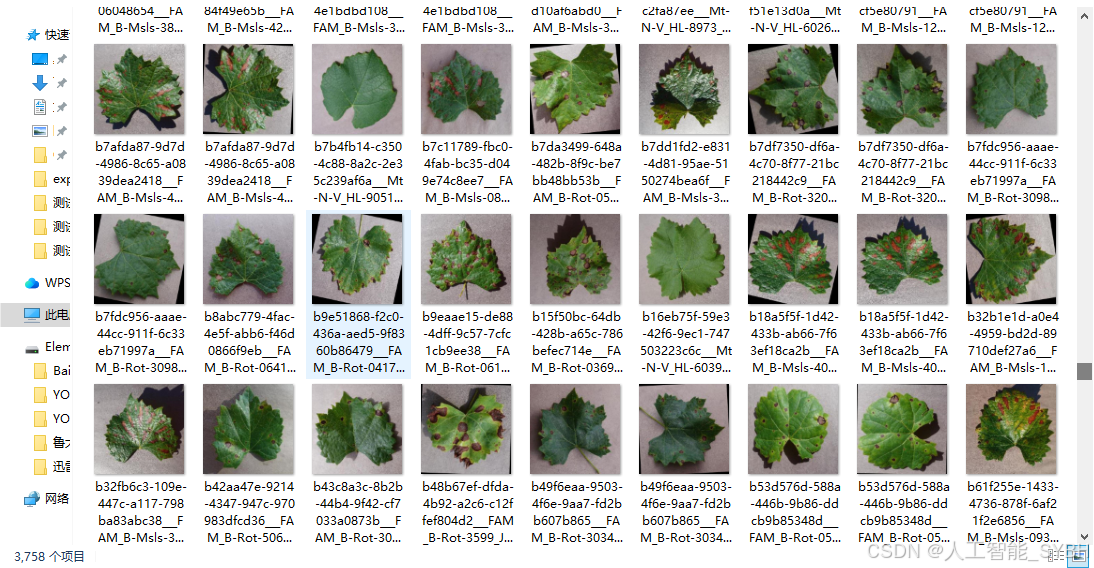
本项目的数据集包含3类病害标签:Black_rot(黑腐病)、Esca(葡萄蔓枯病)、Healthy(健康叶片)。数据集分为训练集、验证集和测试集,具体数量如下:
-
训练集:3758张图像
-
验证集:538张图像
-
测试集:1074张图像
数据集结构:
数据集中的每张图像都经过标注,标注信息包括:
-
类别标签:Black_rot、Esca、Healthy
-
边界框坐标:病害区域的位置信息(x_min, y_min, x_max, y_max)
数据来源:
数据集来源于公开的农业病害数据库或合作种植园提供的葡萄叶图像数据。所有数据均经过专业人员的标注和审核,确保标注的准确性。
数据预处理:
-
图像增强:为了提升模型的泛化能力,对训练集进行了数据增强操作,包括随机旋转、翻转、缩放、亮度调整等。
-
归一化:将所有图像归一化到相同的尺寸(如640x640),以适应YOLOv8的输入要求。
-
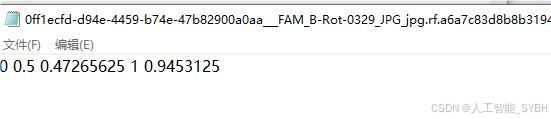
标注格式转换:将标注信息转换为YOLOv8所需的格式(类别索引、归一化的边界框坐标)。
数据集特点:
-
类别多样性:数据集涵盖了3种常见的葡萄叶病害和健康叶片,能够满足实际种植中的病害检测需求。
-
高质量标注:所有标注均由专业人员完成,确保标注的准确性和可靠性。
-
样本分布:训练集、验证集和测试集的划分合理,确保模型训练和评估的科学性。
数据集划分:
-
训练集:用于训练YOLOv8模型,优化模型参数。
-
验证集:用于调整超参数和评估模型在训练过程中的表现,防止过拟合。
-
测试集:用于最终评估模型的性能,确保模型在未见数据上的泛化能力。
数据集配置文件data.yaml
train: .\datasets\images\train
val: .\datasets\images\val
test: .\datasets\images\test


nc: 3
names: ['Black_rot', 'Esca', 'Healthy']
数据集制作流程
-
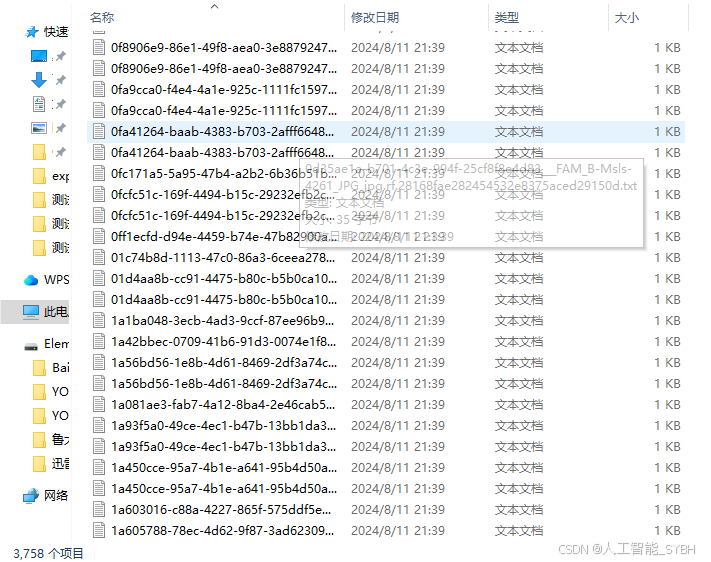
标注数据:使用标注工具(如LabelImg、CVAT等)对图像中的目标进行标注。每个目标需要标出边界框,并且标注类别。
-
转换格式:将标注的数据转换为YOLO格式。YOLO标注格式为每行:
<object-class> <x_center> <y_center> <width> <height>,这些坐标是相对于图像尺寸的比例。 -
分割数据集:将数据集分为训练集、验证集和测试集,通常的比例是80%训练集、10%验证集和10%测试集。
-
准备标签文件:为每张图片生成一个对应的标签文件,确保标签文件与图片的命名一致。
-
调整图像尺寸:根据YOLO网络要求,统一调整所有图像的尺寸(如416x416或608x608)。
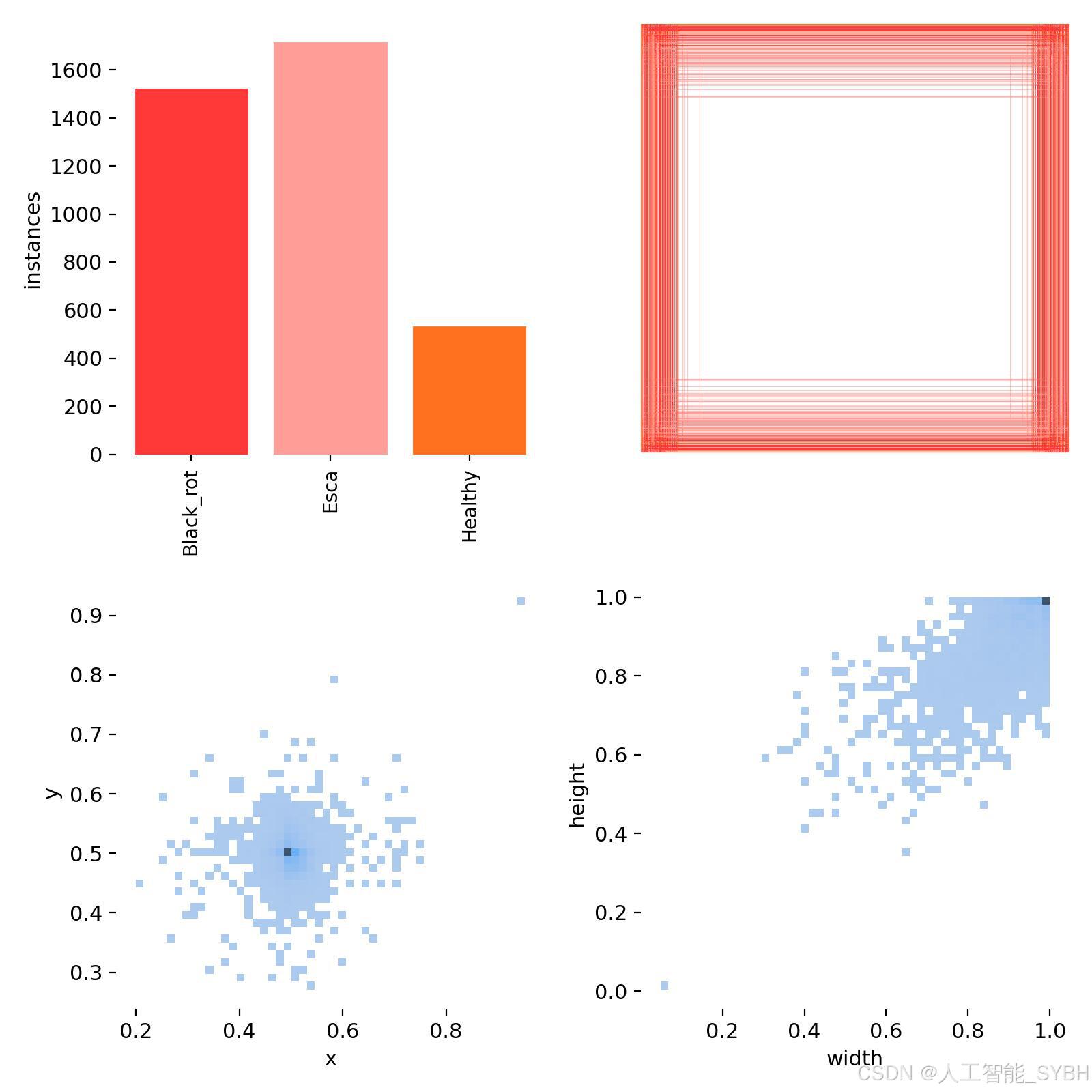
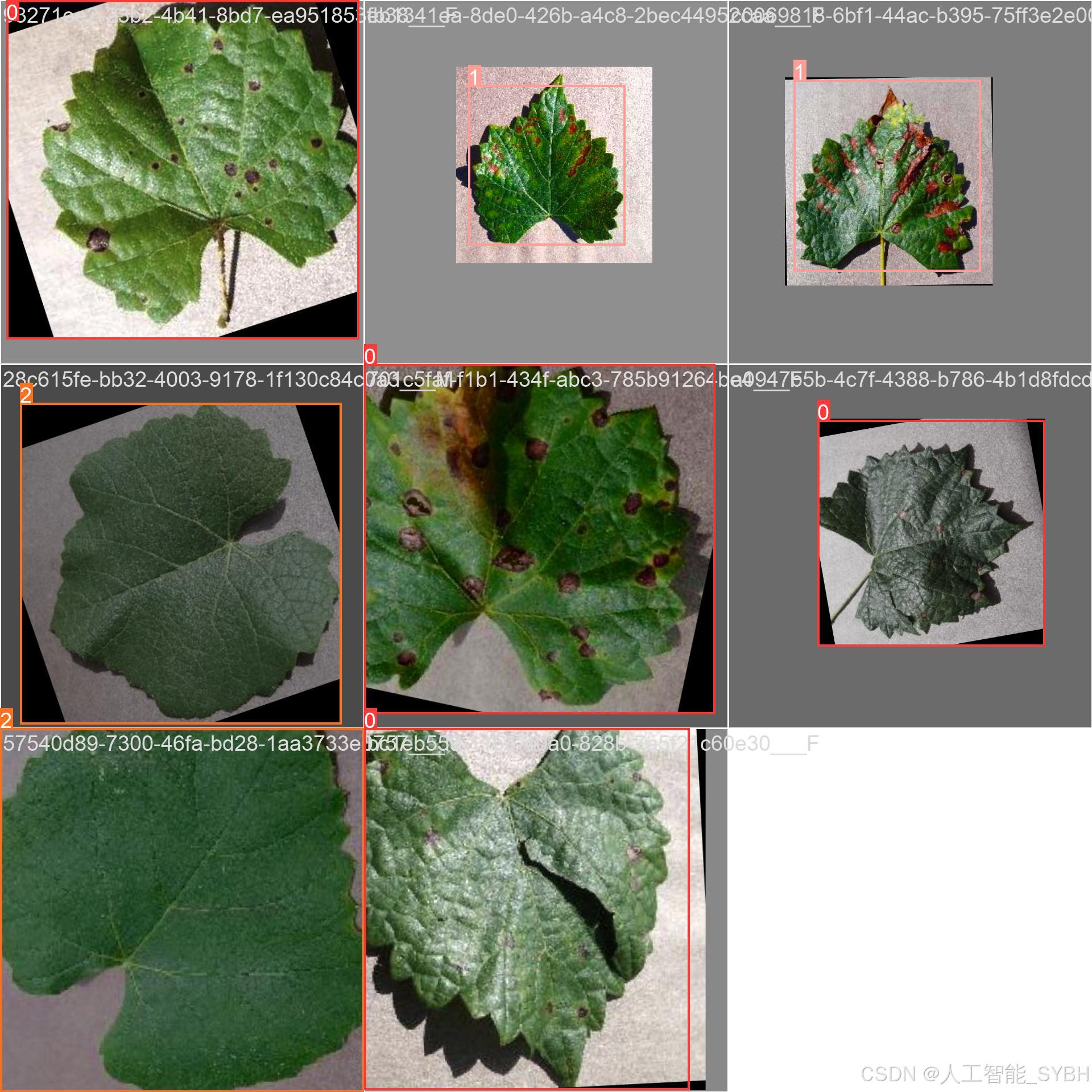
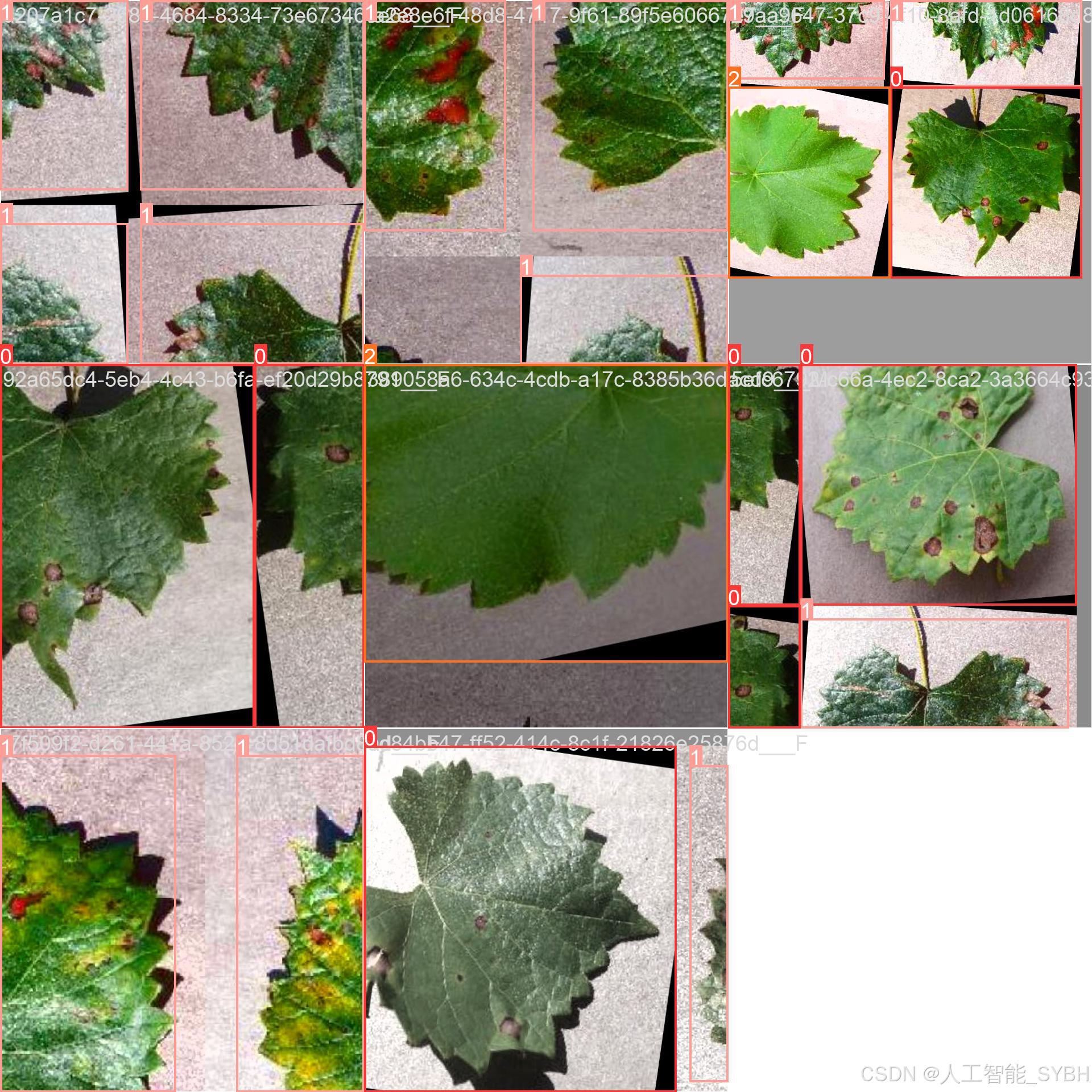
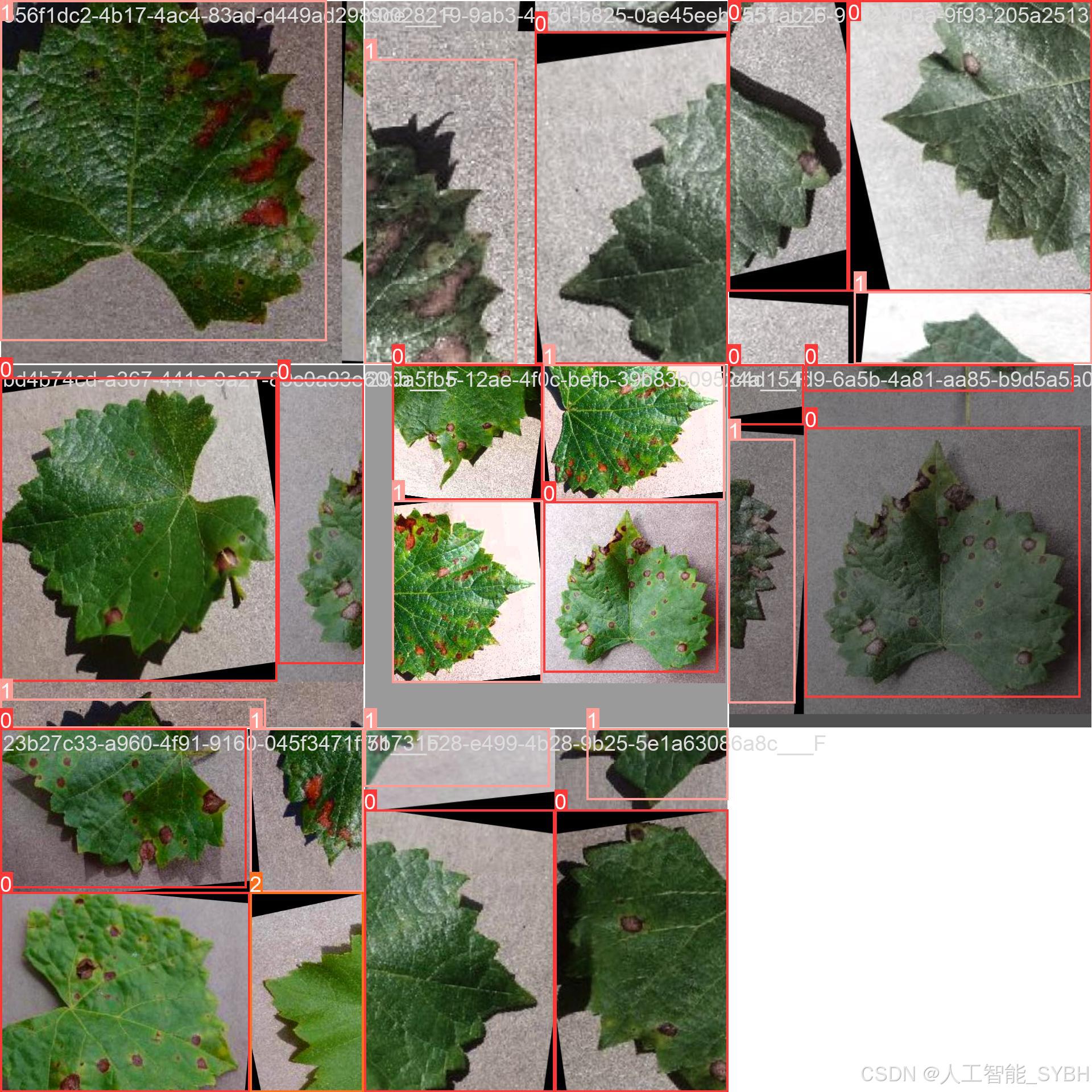
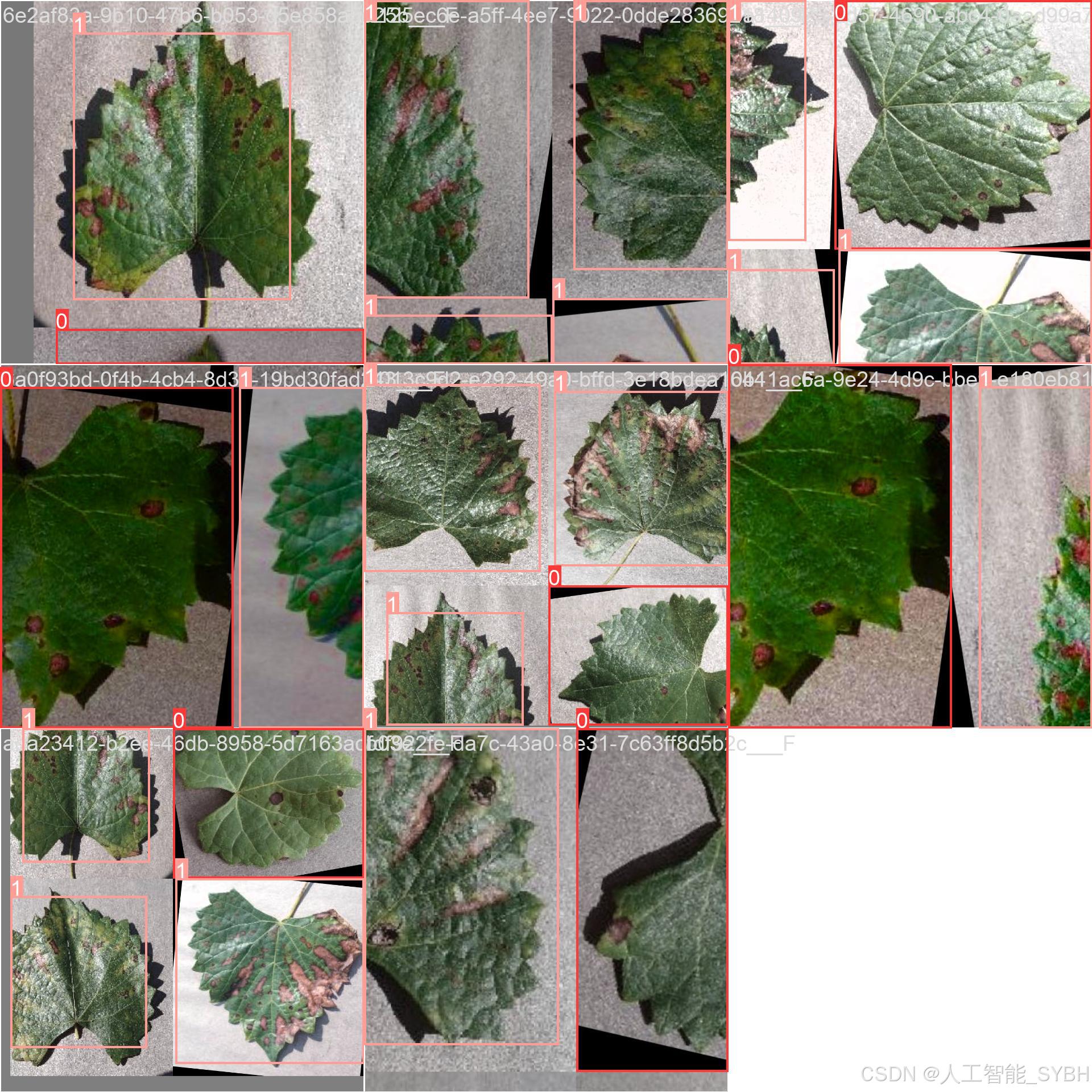
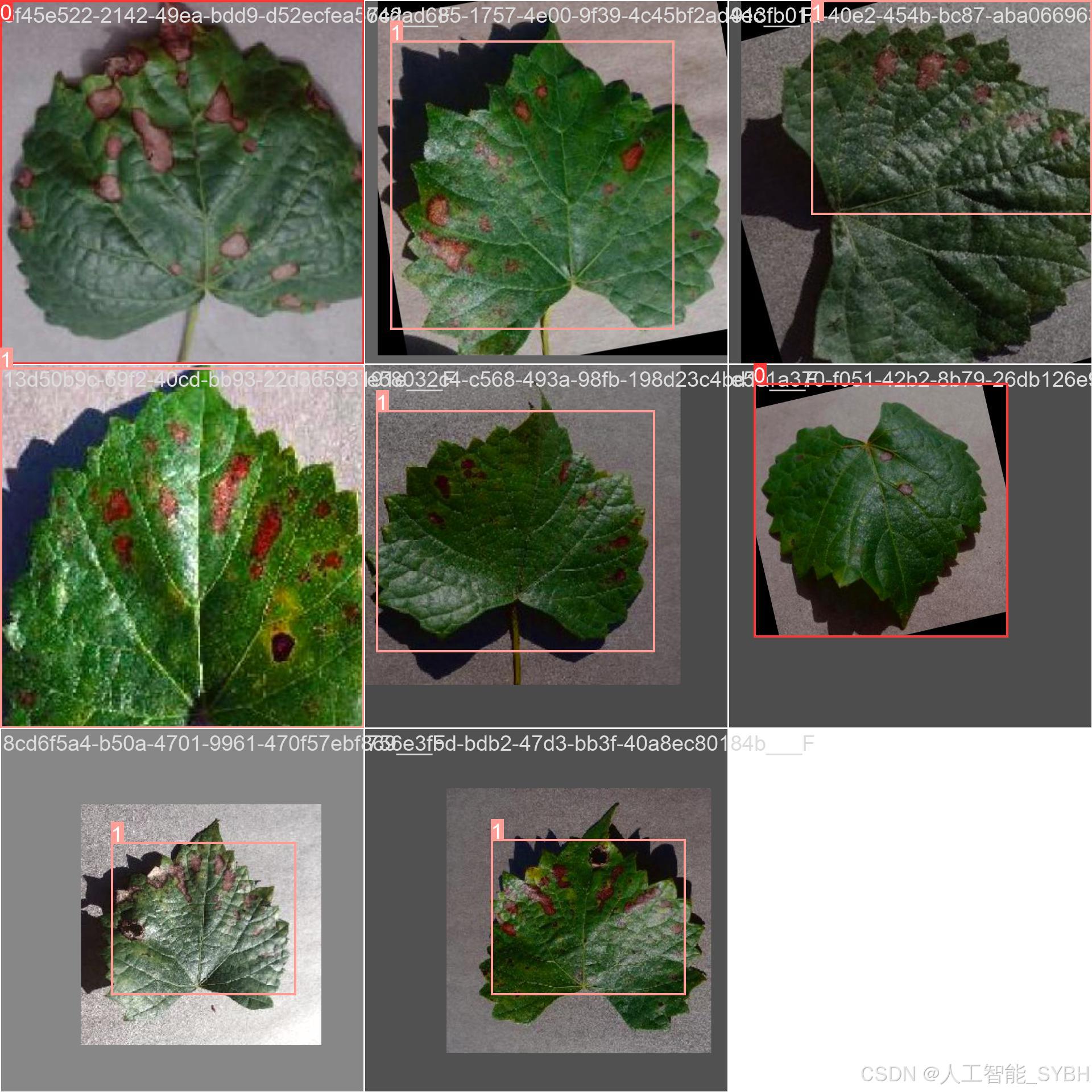
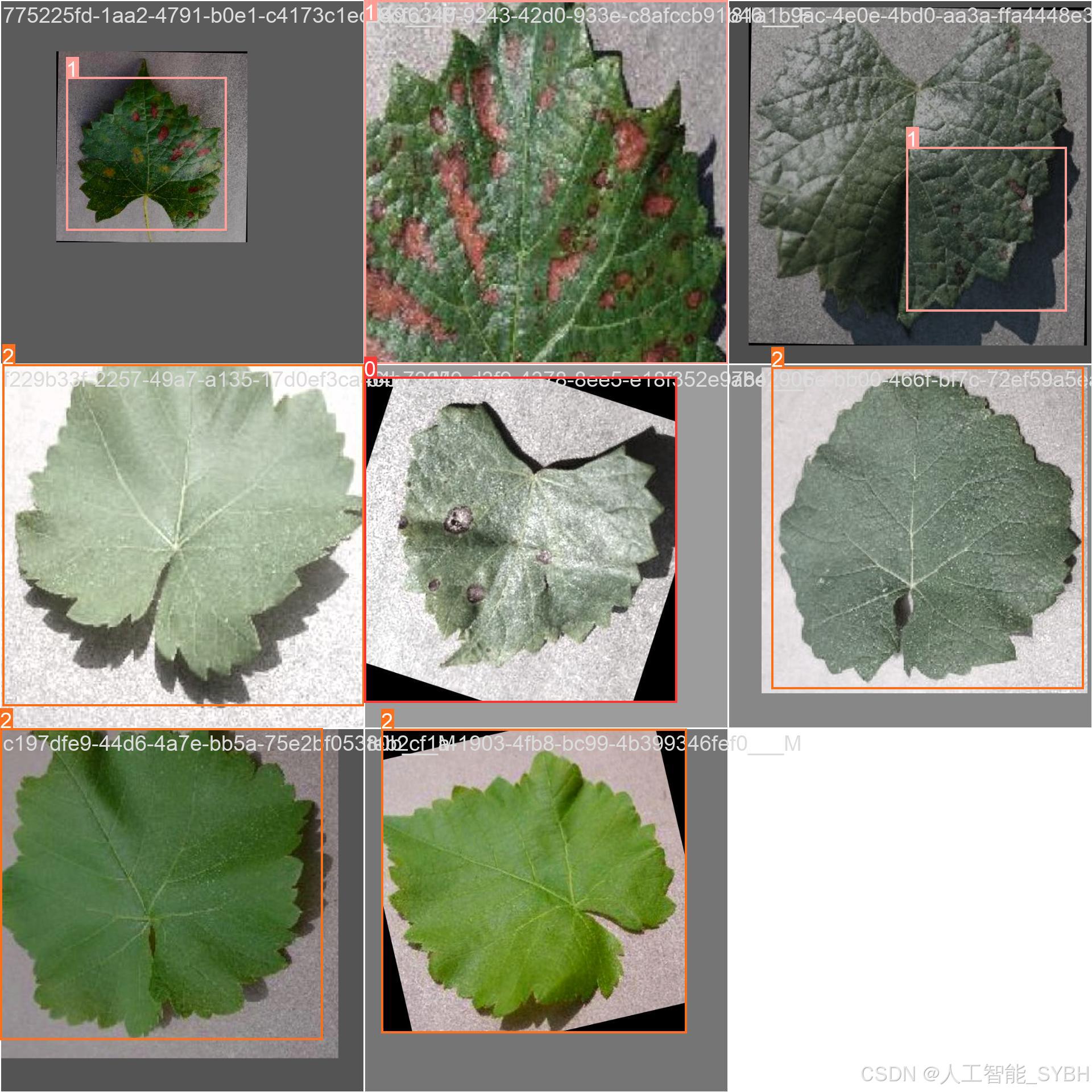
四、项目环境配置
创建虚拟环境
首先新建一个Anaconda环境,每个项目用不同的环境,这样项目中所用的依赖包互不干扰。
终端输入
conda create -n yolov8 python==3.9

激活虚拟环境
conda activate yolov8

安装cpu版本pytorch
pip install torch torchvision torchaudio

pycharm中配置anaconda


安装所需要库
pip install -r requirements.txt

五、模型训练
训练代码
from ultralytics import YOLO

model_path = 'yolov8s.pt'
data_path = 'datasets/data.yaml'

if __name__ == '__main__':
    model = YOLO(model_path)
    results = model.train(data=data_path,
                          epochs=500,
                          batch=64,
                          device='0',
                          workers=0,
                          project='runs/detect',
                          name='exp',
                          )
根据实际情况更换模型 yolov8n.yaml (nano):轻量化模型,适合嵌入式设备,速度快但精度略低。 yolov8s.yaml (small):小模型,适合实时任务。 yolov8m.yaml (medium):中等大小模型,兼顾速度和精度。 yolov8b.yaml (base):基本版模型,适合大部分应用场景。 yolov8l.yaml (large):大型模型,适合对精度要求高的任务。
--batch 64:每批次64张图像。--epochs 500:训练500轮。--datasets/data.yaml:数据集配置文件。--weights yolov8s.pt:初始化模型权重,yolov8s.pt是预训练的轻量级YOLO模型。
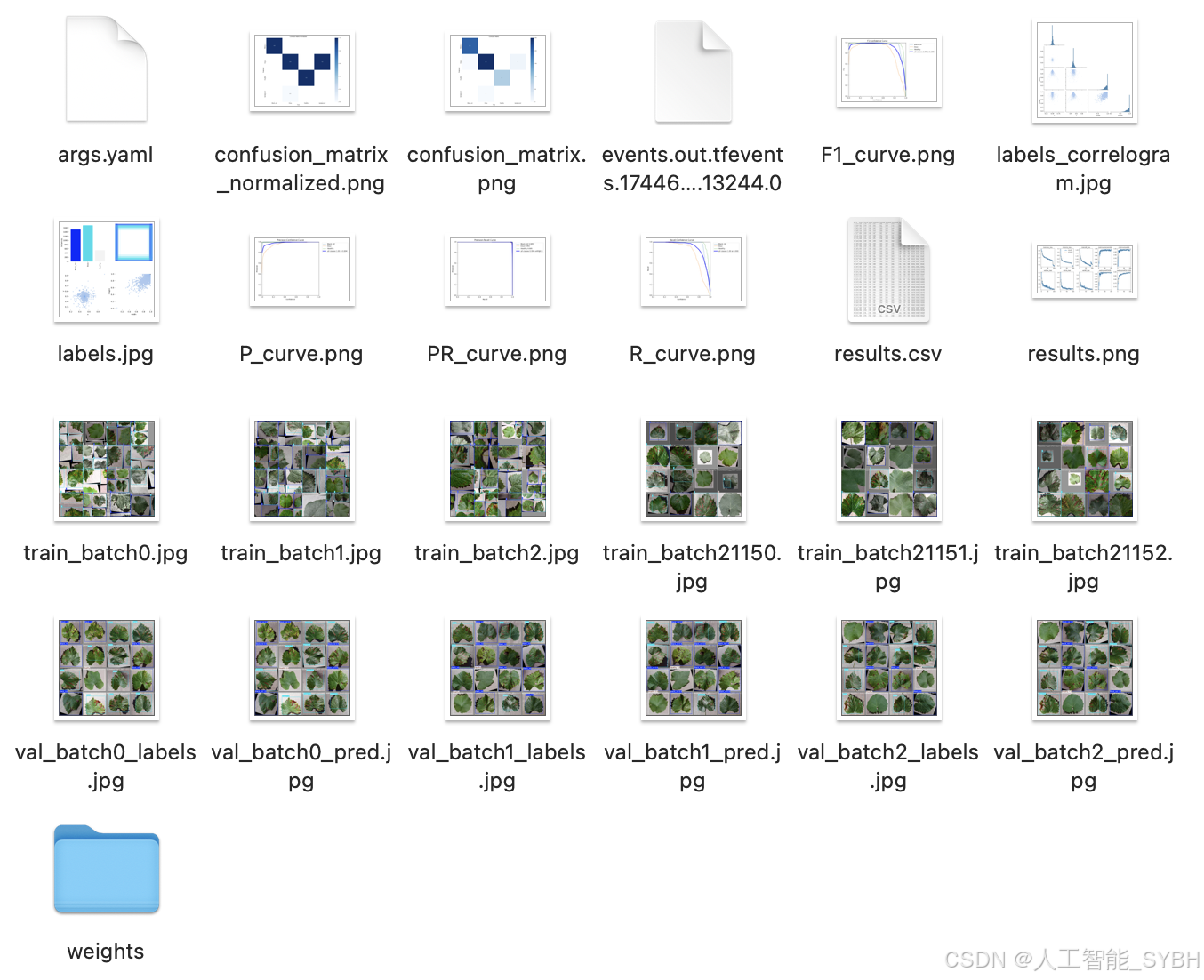
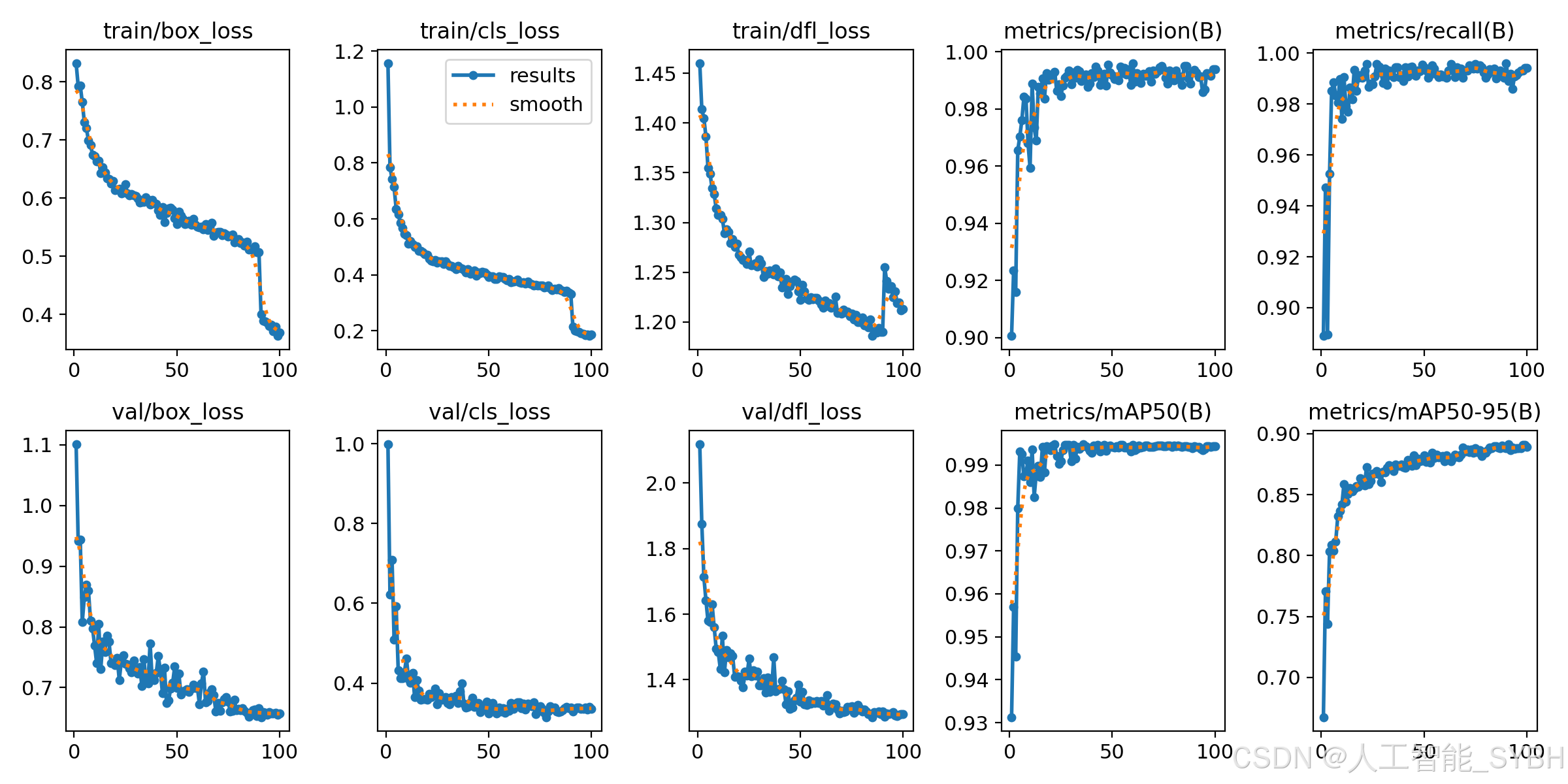
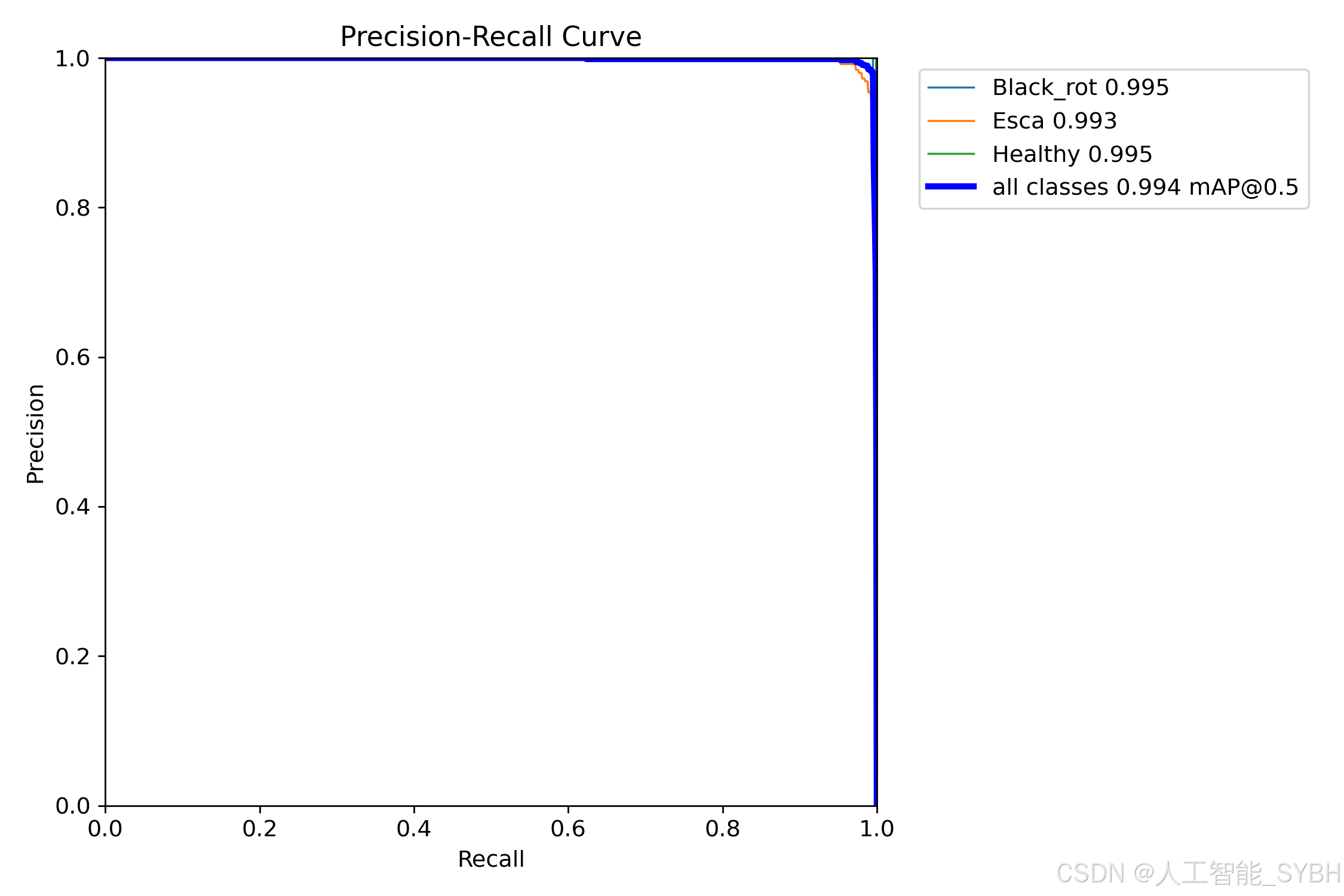
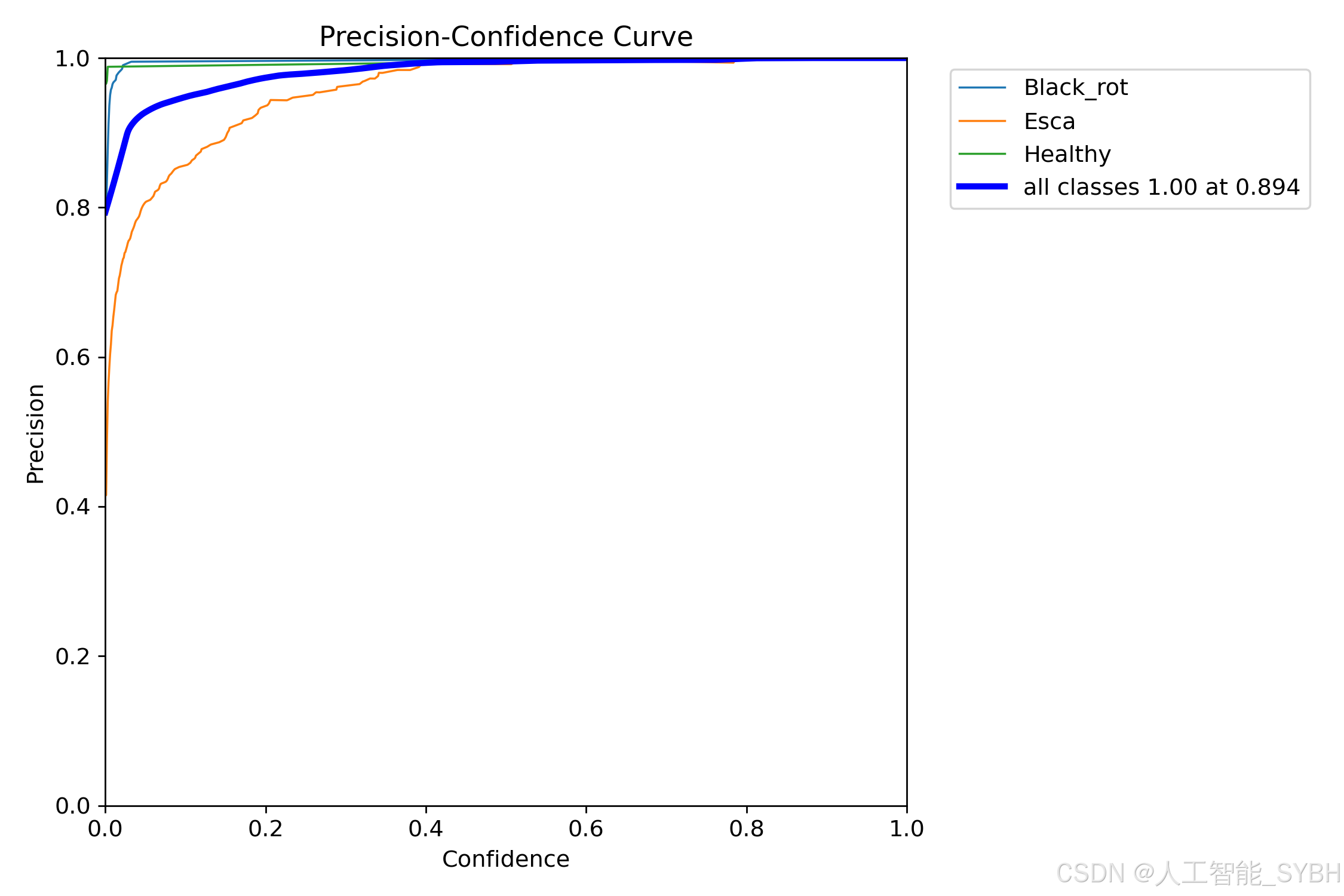
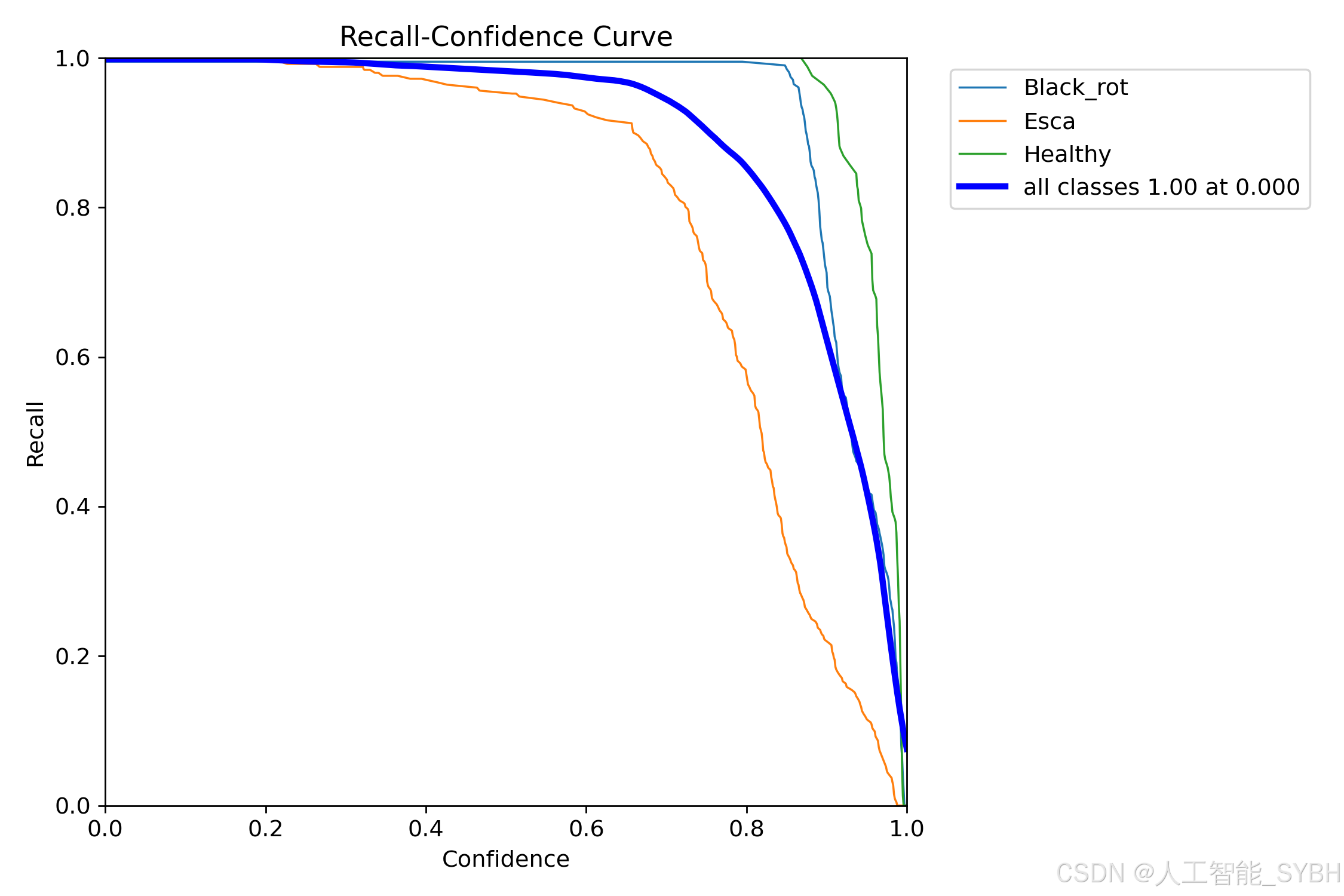
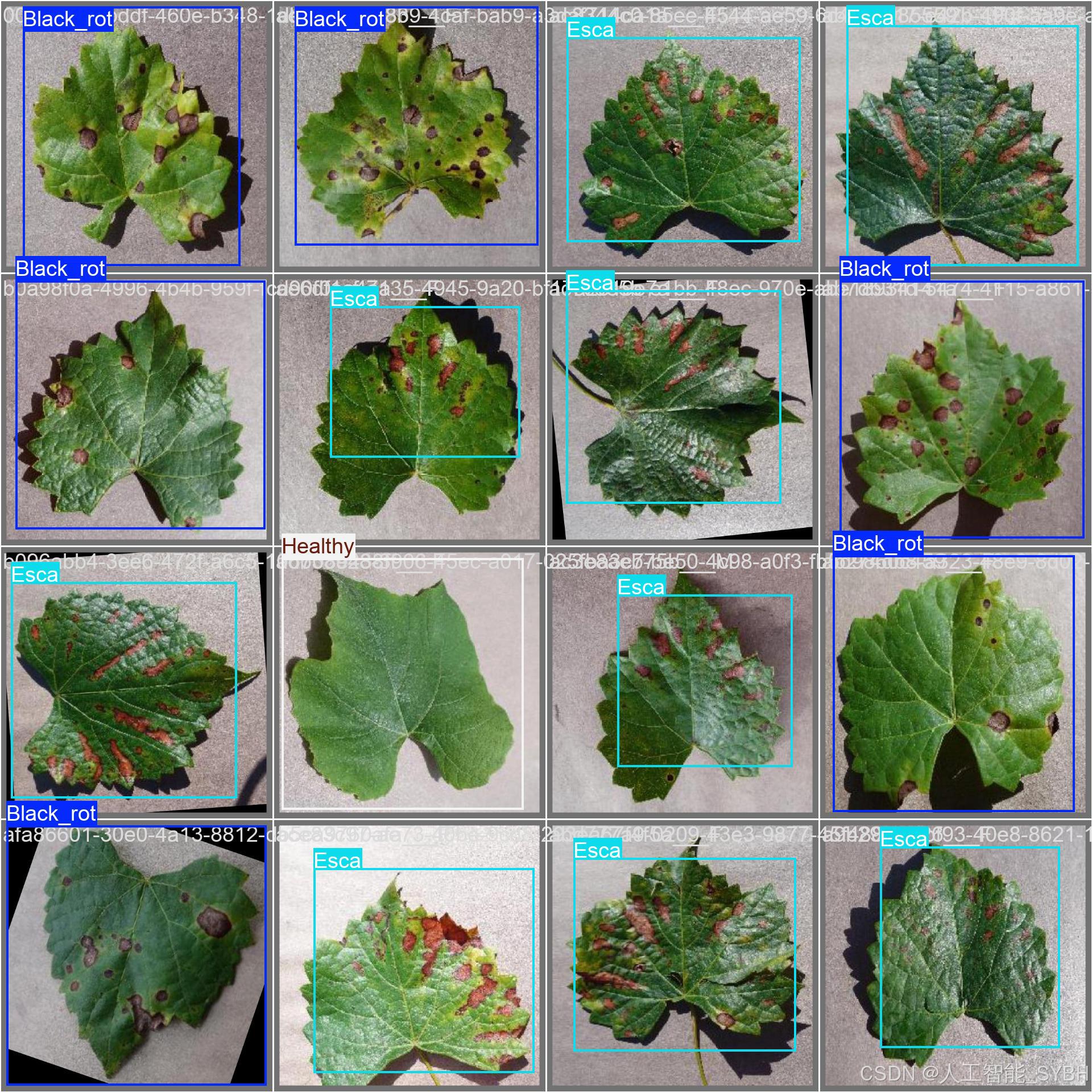
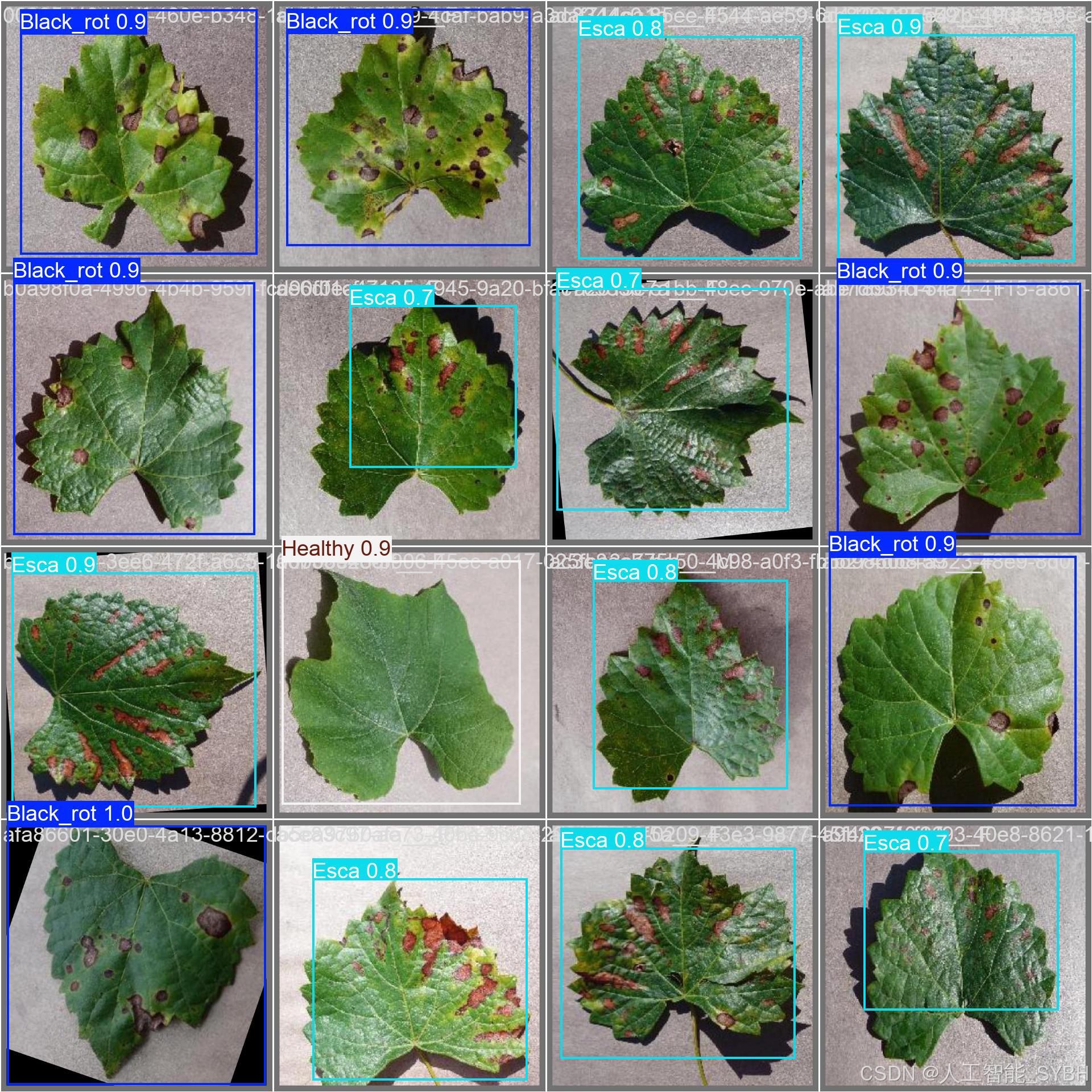
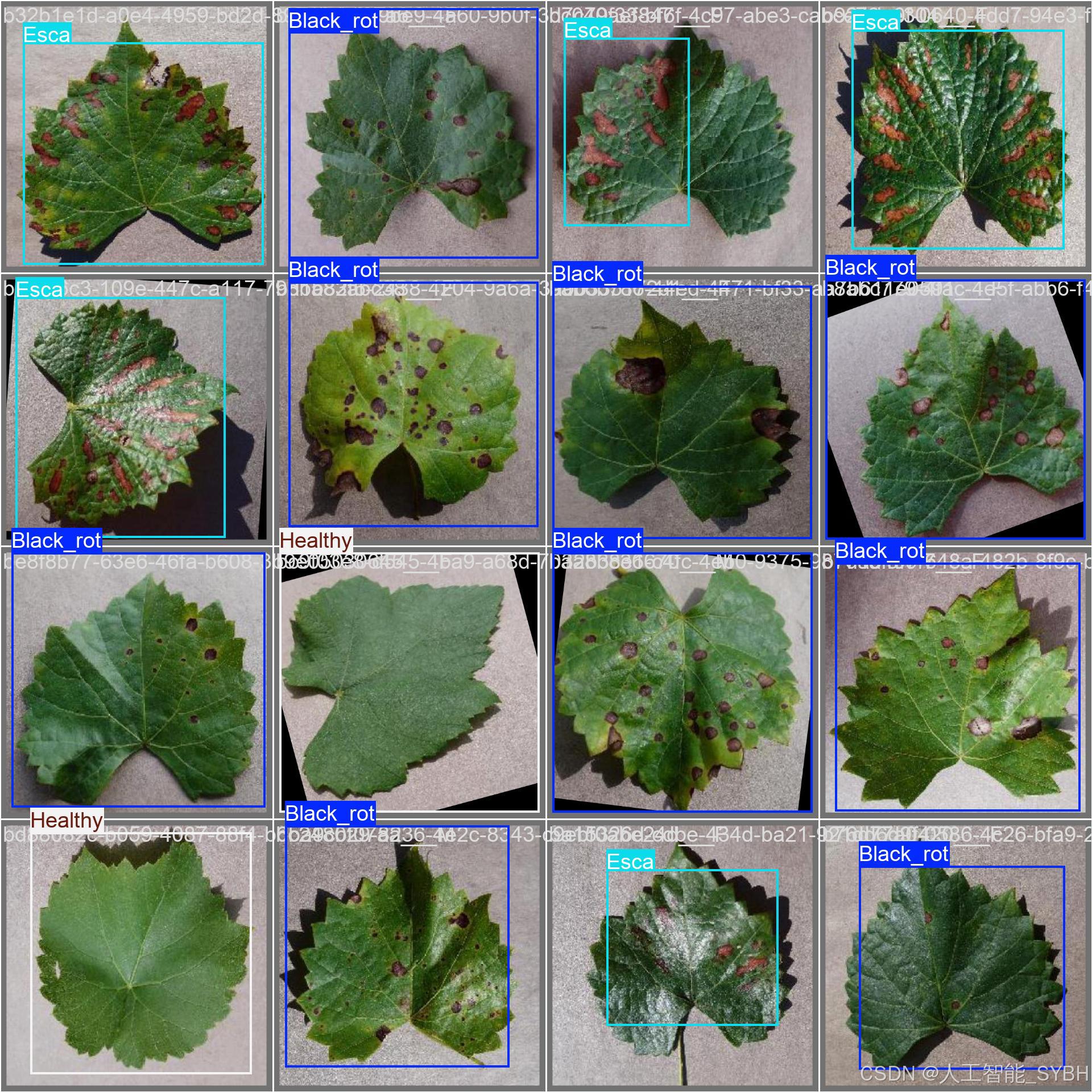
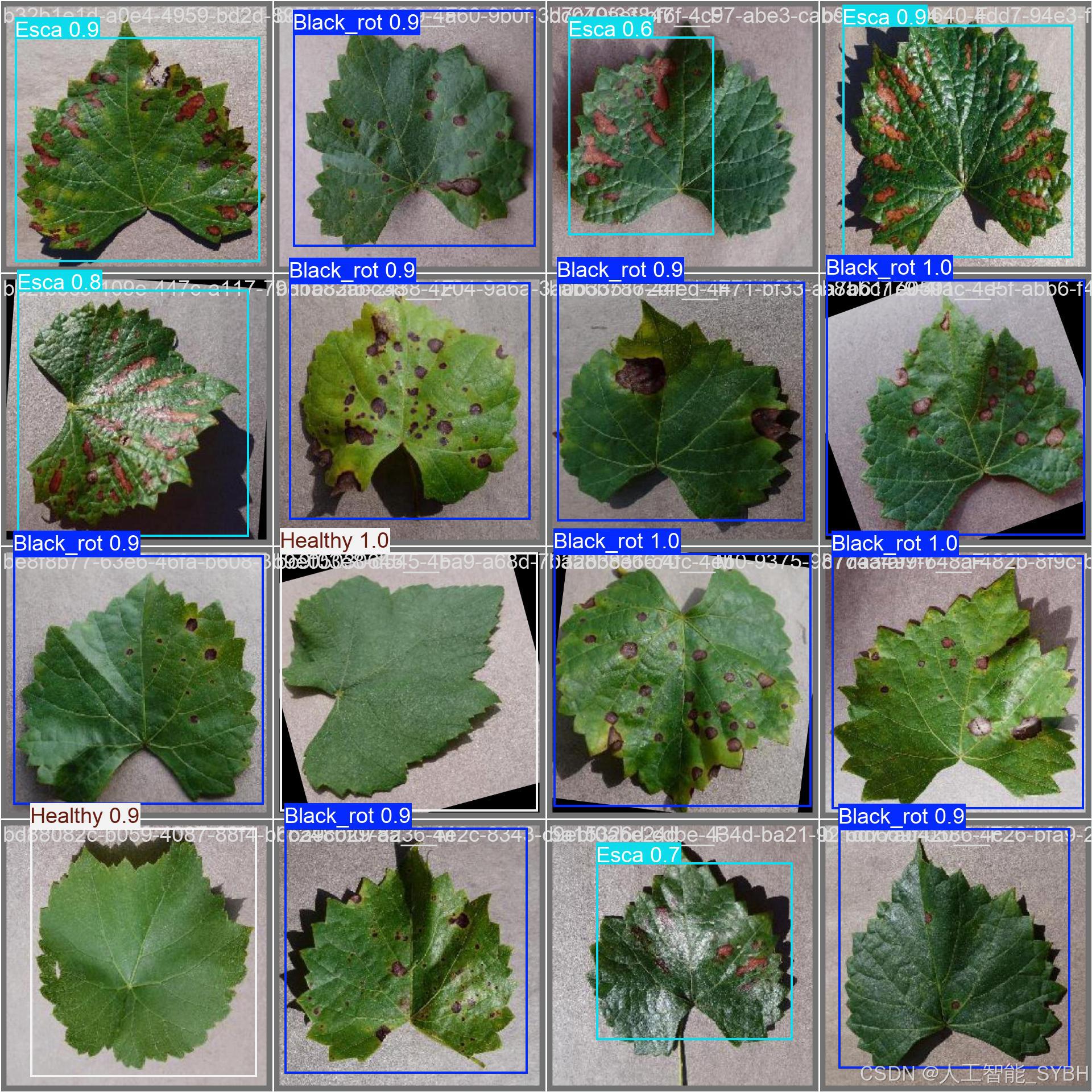
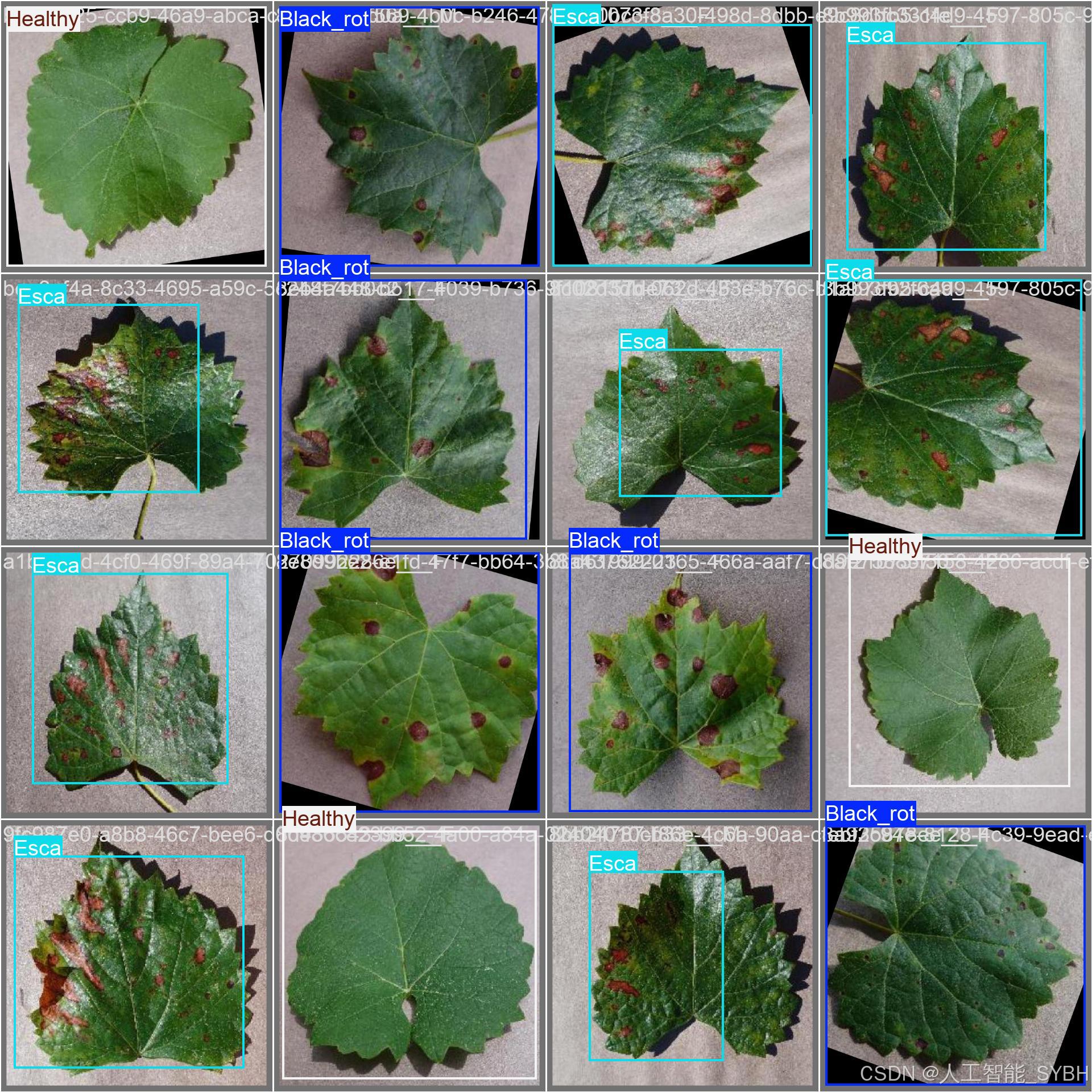
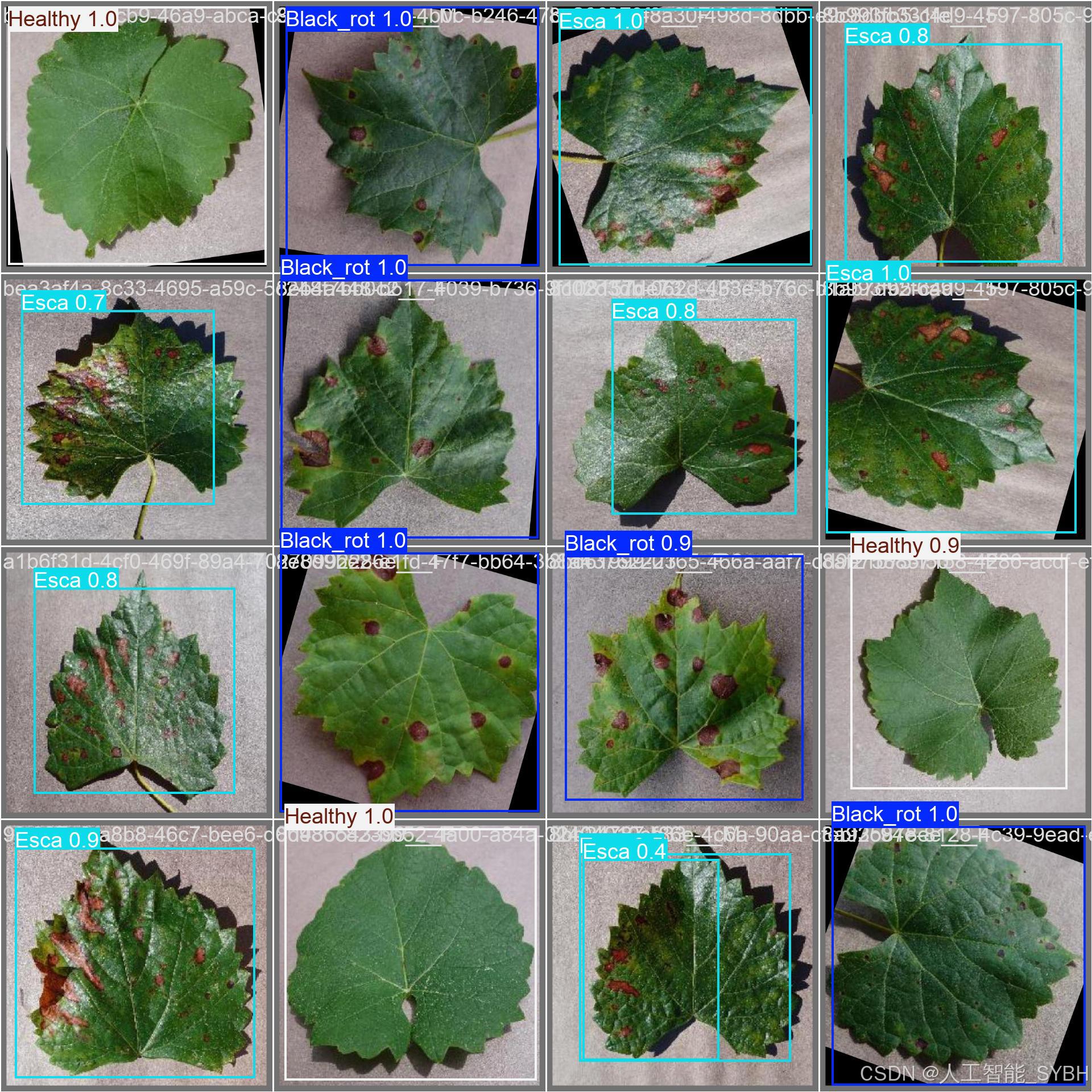
训练结果
六、核心代码
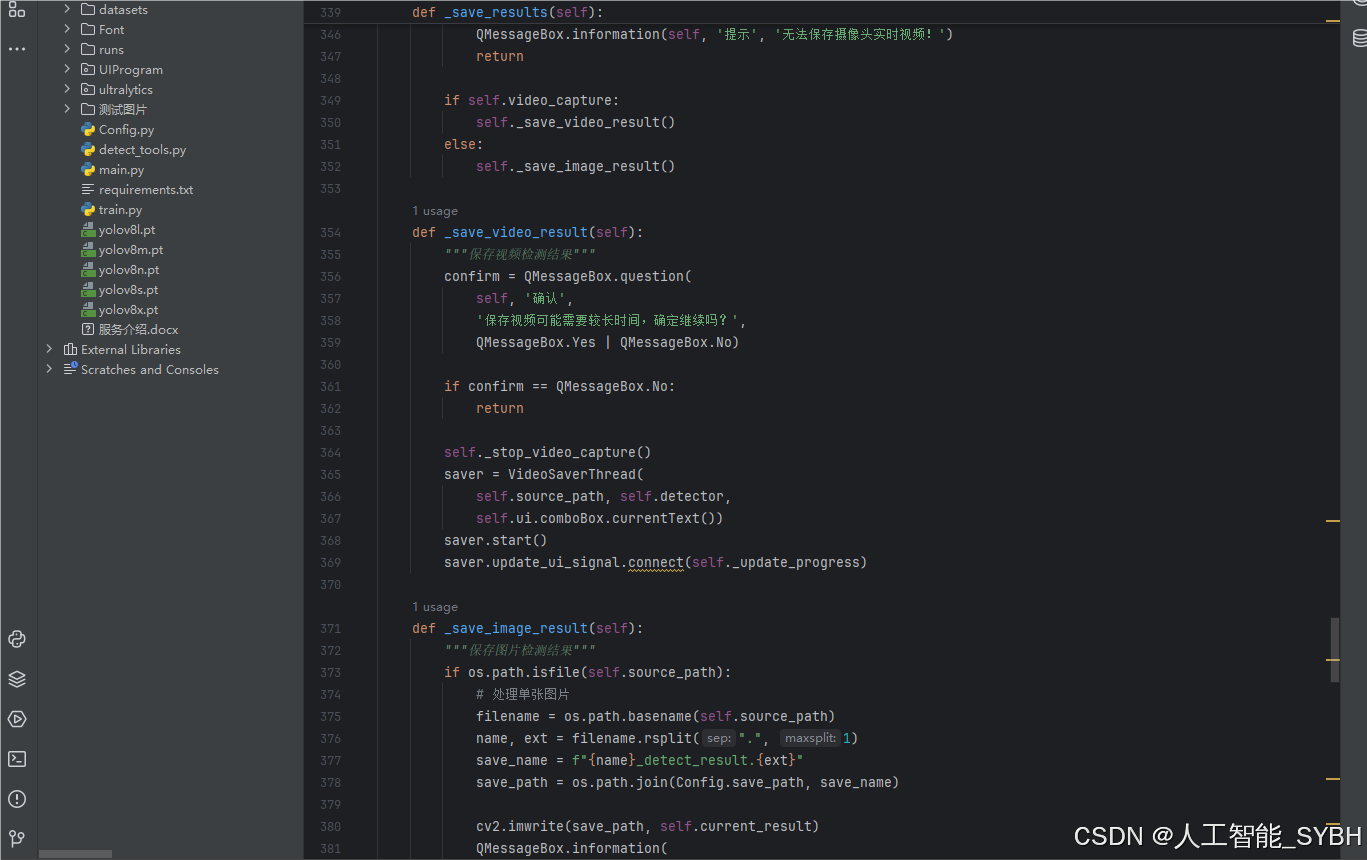
# -*- coding: utf-8 -*-
import os
import sys
import time
import cv2
import numpy as np
from PIL import ImageFont
from PyQt5.QtCore import Qt, QTimer, QThread, pyqtSignal, QCoreApplication
from PyQt5.QtWidgets import (QApplication, QMainWindow, QFileDialog,
                             QMessageBox, QWidget, QHeaderView,
                             QTableWidgetItem, QAbstractItemView)
from ultralytics import YOLO

# 自定义模块导入
sys.path.append('UIProgram')
from UIProgram.UiMain import Ui_MainWindow
from UIProgram.QssLoader import QSSLoader
from UIProgram.precess_bar import ProgressBar
import detect_tools as tools
import Config


class DetectionApp(QMainWindow):
    def __init__(self, parent=None):
        super().__init__(parent)
        self.ui = Ui_MainWindow()
        self.ui.setupUi(self)

        # 初始化应用
        self._setup_ui()
        self._connect_signals()
        self._load_stylesheet()

        # 模型和资源初始化
        self._init_detection_resources()

    def _setup_ui(self):
        """初始化UI界面设置"""
        self.display_width = 700
        self.display_height = 500
        self.source_path = None
        self.camera_active = False
        self.video_capture = None

        # 配置表格控件
        table = self.ui.tableWidget
        table.verticalHeader().setSectionResizeMode(QHeaderView.Fixed)
        table.verticalHeader().setDefaultSectionSize(40)
        table.setColumnWidth(0, 80)  # ID列
        table.setColumnWidth(1, 200)  # 路径列
        table.setColumnWidth(2, 150)  # 类别列
        table.setColumnWidth(3, 90)  # 置信度列
        table.setColumnWidth(4, 230)  # 位置列
        table.setSelectionBehavior(QAbstractItemView.SelectRows)
        table.verticalHeader().setVisible(False)
        table.setAlternatingRowColors(True)

    def _connect_signals(self):
        """连接按钮信号与槽函数"""
        self.ui.PicBtn.clicked.connect(self._handle_image_input)
        self.ui.comboBox.activated.connect(self._update_selection)
        self.ui.VideoBtn.clicked.connect(self._handle_video_input)
        self.ui.CapBtn.clicked.connect(self._toggle_camera)
        self.ui.SaveBtn.clicked.connect(self._save_results)
        self.ui.ExitBtn.clicked.connect(QCoreApplication.quit)
        self.ui.FilesBtn.clicked.connect(self._process_image_batch)

    def _load_stylesheet(self):
        """加载CSS样式表"""
        style_file = 'UIProgram/style.css'
        qss = QSSLoader.read_qss_file(style_file)
        self.setStyleSheet(qss)

    def _init_detection_resources(self):
        """初始化检测相关资源"""
        # 加载YOLOv8模型
        self.detector = YOLO('runs/detect/exp/weights/best.pt', task='detect')
        self.detector(np.zeros((48, 48, 3)))  # 预热模型

        # 初始化字体和颜色
        self.detection_font = ImageFont.truetype("Font/platech.ttf", 25, 0)
        self.color_palette = tools.Colors()

        # 初始化定时器
        self.frame_timer = QTimer()
        self.save_timer = QTimer()

    def _handle_image_input(self):
        """处理单张图片输入"""
        self._stop_video_capture()

        file_path, _ = QFileDialog.getOpenFileName(
            self, '选择图片', './', "图片文件 (*.jpg *.jpeg *.png)")
        if not file_path:
            return

        self._process_single_image(file_path)

    def _process_single_image(self, image_path):
        """处理并显示单张图片的检测结果"""
        self.source_path = image_path
        self.ui.comboBox.setEnabled(True)

        # 读取并检测图片
        start_time = time.time()
        detection_results = self.detector(image_path)[0]
        processing_time = time.time() - start_time

        # 解析检测结果
        boxes = detection_results.boxes.xyxy.tolist()
        self.detection_boxes = [list(map(int, box)) for box in boxes]
        self.detection_classes = detection_results.boxes.cls.int().tolist()
        confidences = detection_results.boxes.conf.tolist()
        self.confidence_scores = [f'{score * 100:.2f}%' for score in confidences]

        # 更新UI显示
        self._update_detection_display(detection_results, processing_time)
        self._update_object_selection()
        self._show_detection_details()
        self._display_results_table(image_path)

    def _update_detection_display(self, results, process_time):
        """更新检测结果显示"""
        # 显示处理时间
        self.ui.time_lb.setText(f'{process_time:.3f} s')

        # 获取带标注的图像
        annotated_img = results.plot()
        self.current_result = annotated_img

        # 调整并显示图像
        width, height = self._calculate_display_size(annotated_img)
        resized_img = cv2.resize(annotated_img, (width, height))
        qimage = tools.cvimg_to_qpiximg(resized_img)

        self.ui.label_show.setPixmap(qimage)
        self.ui.label_show.setAlignment(Qt.AlignCenter)
        self.ui.PiclineEdit.setText(self.source_path)

        # 更新检测数量
        self.ui.label_nums.setText(str(len(self.detection_classes)))

    def _calculate_display_size(self, image):
        """计算适合显示的图像尺寸"""
        img_height, img_width = image.shape[:2]
        aspect_ratio = img_width / img_height

        if aspect_ratio >= self.display_width / self.display_height:
            width = self.display_width
            height = int(width / aspect_ratio)
        else:
            height = self.display_height
            width = int(height * aspect_ratio)

        return width, height

    def _update_object_selection(self):
        """更新目标选择下拉框"""
        options = ['全部']
        target_labels = [
            f'{Config.names[cls_id]}_{idx}'
            for idx, cls_id in enumerate(self.detection_classes)
        ]
        options.extend(target_labels)

        self.ui.comboBox.clear()
        self.ui.comboBox.addItems(options)

    def _show_detection_details(self, index=0):
        """显示检测目标的详细信息"""
        if not self.detection_boxes:
            self._clear_detection_details()
            return

        box = self.detection_boxes[index]
        self.ui.type_lb.setText(Config.CH_names[self.detection_classes[index]])
        self.ui.label_conf.setText(self.confidence_scores[index])
        self.ui.label_xmin.setText(str(box[0]))
        self.ui.label_ymin.setText(str(box[1]))
        self.ui.label_xmax.setText(str(box[2]))
        self.ui.label_ymax.setText(str(box[3]))

    def _clear_detection_details(self):
        """清空检测详情显示"""
        self.ui.type_lb.setText('')
        self.ui.label_conf.setText('')
        self.ui.label_xmin.setText('')
        self.ui.label_ymin.setText('')
        self.ui.label_xmax.setText('')
        self.ui.label_ymax.setText('')

    def _display_results_table(self, source_path):
        """在表格中显示检测结果"""
        table = self.ui.tableWidget
        table.setRowCount(0)
        table.clearContents()

        for idx, (box, cls_id, conf) in enumerate(zip(
                self.detection_boxes, self.detection_classes, self.confidence_scores)):

            row = table.rowCount()
            table.insertRow(row)

            # 添加表格项
            items = [
                QTableWidgetItem(str(row + 1)),  # ID
                QTableWidgetItem(source_path),  # 路径
                QTableWidgetItem(Config.CH_names[cls_id]),  # 类别
                QTableWidgetItem(conf),  # 置信度
                QTableWidgetItem(str(box))  # 位置坐标
            ]

            # 设置文本居中
            for item in [items[0], items[2], items[3]]:
                item.setTextAlignment(Qt.AlignCenter)

            # 添加到表格
            for col, item in enumerate(items):
                table.setItem(row, col, item)

        table.scrollToBottom()

    def _process_image_batch(self):
        """批量处理图片"""
        self._stop_video_capture()

        folder = QFileDialog.getExistingDirectory(self, "选择图片文件夹", "./")
        if not folder:
            return

        self.source_path = folder
        valid_extensions = {'jpg', 'png', 'jpeg', 'bmp'}

        for filename in os.listdir(folder):
            filepath = os.path.join(folder, filename)
            if (os.path.isfile(filepath) and
                    filename.split('.')[-1].lower() in valid_extensions):
                self._process_single_image(filepath)
                QApplication.processEvents()  # 保持UI响应

    def _update_selection(self):
        """更新用户选择的检测目标显示"""
        selection = self.ui.comboBox.currentText()

        if selection == '全部':
            boxes = self.detection_boxes
            display_img = self.current_result
            self._show_detection_details(0)
        else:
            idx = int(selection.split('_')[-1])
            boxes = [self.detection_boxes[idx]]
            display_img = self.detector(self.source_path)[0][idx].plot()
            self._show_detection_details(idx)

        # 更新显示
        width, height = self._calculate_display_size(display_img)
        resized_img = cv2.resize(display_img, (width, height))
        qimage = tools.cvimg_to_qpiximg(resized_img)

        self.ui.label_show.clear()
        self.ui.label_show.setPixmap(qimage)
        self.ui.label_show.setAlignment(Qt.AlignCenter)

    def _handle_video_input(self):
        """处理视频输入"""
        if self.camera_active:
            self._toggle_camera()

        video_path = self._get_video_path()
        if not video_path:
            return

        self._start_video_processing(video_path)
        self.ui.comboBox.setEnabled(False)

    def _get_video_path(self):
        """获取视频文件路径"""
        path, _ = QFileDialog.getOpenFileName(
            self, '选择视频', './', "视频文件 (*.avi *.mp4)")

        if path:
            self.source_path = path
            self.ui.VideolineEdit.setText(path)
            return path
        return None

    def _start_video_processing(self, video_path):
        """开始处理视频流"""
        self.video_capture = cv2.VideoCapture(video_path)
        self.frame_timer.start(1)
        self.frame_timer.timeout.connect(self._process_video_frame)

    def _stop_video_capture(self):
        """停止视频捕获"""
        if self.video_capture:
            self.video_capture.release()
            self.frame_timer.stop()
            self.camera_active = False
            self.ui.CaplineEdit.setText('摄像头未开启')
            self.video_capture = None

    def _process_video_frame(self):
        """处理视频帧"""
        ret, frame = self.video_capture.read()
        if not ret:
            self._stop_video_capture()
            return

        # 执行目标检测
        start_time = time.time()
        results = self.detector(frame)[0]
        processing_time = time.time() - start_time

        # 解析结果
        self.detection_boxes = results.boxes.xyxy.int().tolist()
        self.detection_classes = results.boxes.cls.int().tolist()
        self.confidence_scores = [f'{conf * 100:.2f}%' for conf in results.boxes.conf.tolist()]

        # 更新显示
        self._update_detection_display(results, processing_time)
        self._update_object_selection()
        self._show_detection_details()
        self._display_results_table(self.source_path)

    def _toggle_camera(self):
        """切换摄像头状态"""
        self.camera_active = not self.camera_active

        if self.camera_active:
            self.ui.CaplineEdit.setText('摄像头开启')
            self.video_capture = cv2.VideoCapture(0)
            self._start_video_processing(0)
            self.ui.comboBox.setEnabled(False)
        else:
            self.ui.CaplineEdit.setText('摄像头未开启')
            self.ui.label_show.clear()
            self._stop_video_capture()

    def _save_results(self):
        """保存检测结果"""
        if not self.video_capture and not self.source_path:
            QMessageBox.information(self, '提示', '没有可保存的内容,请先打开图片或视频!')
            return

        if self.camera_active:
            QMessageBox.information(self, '提示', '无法保存摄像头实时视频!')
            return

        if self.video_capture:
            self._save_video_result()
        else:
            self._save_image_result()

    def _save_video_result(self):
        """保存视频检测结果"""
        confirm = QMessageBox.question(
            self, '确认',
            '保存视频可能需要较长时间,确定继续吗?',
            QMessageBox.Yes | QMessageBox.No)

        if confirm == QMessageBox.No:
            return

        self._stop_video_capture()
        saver = VideoSaverThread(
            self.source_path, self.detector,
            self.ui.comboBox.currentText())
        saver.start()
        saver.update_ui_signal.connect(self._update_progress)

    def _save_image_result(self):
        """保存图片检测结果"""
        if os.path.isfile(self.source_path):
            # 处理单张图片
            filename = os.path.basename(self.source_path)
            name, ext = filename.rsplit(".", 1)
            save_name = f"{name}_detect_result.{ext}"
            save_path = os.path.join(Config.save_path, save_name)

            cv2.imwrite(save_path, self.current_result)
            QMessageBox.information(
                self, '完成',
                f'图片已保存至: {save_path}')
        else:
            # 处理文件夹中的图片
            valid_exts = {'jpg', 'png', 'jpeg', 'bmp'}
            for filename in os.listdir(self.source_path):
                if filename.split('.')[-1].lower() in valid_exts:
                    filepath = os.path.join(self.source_path, filename)
                    name, ext = filename.rsplit(".", 1)
                    save_name = f"{name}_detect_result.{ext}"
                    save_path = os.path.join(Config.save_path, save_name)

                    results = self.detector(filepath)[0]
                    cv2.imwrite(save_path, results.plot())

            QMessageBox.information(
                self, '完成',
                f'所有图片已保存至: {Config.save_path}')

    def _update_progress(self, current, total):
        """更新保存进度"""
        if current == 1:
            self.progress_dialog = ProgressBar(self)
            self.progress_dialog.show()

        if current >= total:
            self.progress_dialog.close()
            QMessageBox.information(
                self, '完成',
                f'视频已保存至: {Config.save_path}')
            return

        if not self.progress_dialog.isVisible():
            return

        percent = int(current / total * 100)
        self.progress_dialog.setValue(current, total, percent)
        QApplication.processEvents()


class VideoSaverThread(QThread):
    """视频保存线程"""
    update_ui_signal = pyqtSignal(int, int)

    def __init__(self, video_path, model, selection):
        super().__init__()
        self.video_path = video_path
        self.detector = model
        self.selection = selection
        self.active = True
        self.colors = tools.Colors()

    def run(self):
        """执行视频保存"""
        cap = cv2.VideoCapture(self.video_path)
        fourcc = cv2.VideoWriter_fourcc(*'XVID')
        fps = cap.get(cv2.CAP_PROP_FPS)
        size = (
            int(cap.get(cv2.CAP_PROP_FRAME_WIDTH)),
            int(cap.get(cv2.CAP_PROP_FRAME_HEIGHT)))

        filename = os.path.basename(self.video_path)
        name, _ = filename.split('.')
        save_path = os.path.join(
            Config.save_path,
            f"{name}_detect_result.avi")

        writer = cv2.VideoWriter(save_path, fourcc, fps, size)
        total_frames = int(cap.get(cv2.CAP_PROP_FRAME_COUNT))
        current_frame = 0

        while cap.isOpened() and self.active:
            current_frame += 1
            ret, frame = cap.read()

            if not ret:
                break

            # 执行检测
            results = self.detector(frame)[0]
            frame = results.plot()
            writer.write(frame)
            self.update_ui_signal.emit(current_frame, total_frames)

        # 释放资源
        cap.release()
        writer.release()

    def stop(self):
        """停止保存过程"""
        self.active = False


if __name__ == "__main__":
    app = QApplication(sys.argv)
    window = DetectionApp()
    window.show()
    sys.exit(app.exec_())
七、项目
演示与介绍视频:
基于深度学习的葡萄叶病害检测系统(YOLOv8+YOLO数据集+UI界面+Python项目源码+模型)_哔哩哔哩_bilibili
基于深度学习的葡萄叶病害检测系统(YOLOv8+YOLO数据集+UI界面+Python项目源码+模型)
更多推荐

 24
24 0
0- 0



 已为社区贡献120条内容

所有评论(0)