
docker: Error response from daemon: could not select device driver ““ with capabilities: [[gpu]].
·
docker && dockercompose 版本
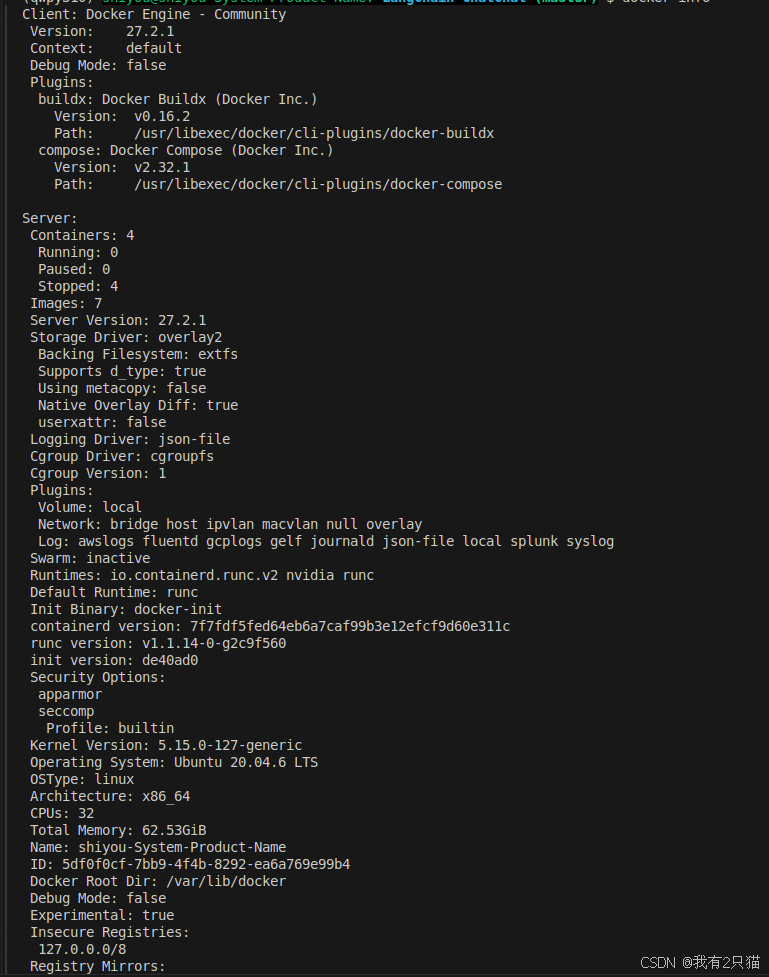
docker compose 内容如下
version: '3.9'
services:
  xinference:
    image: xprobe/xinference:v0.12.3
    restart: always
    command: xinference-local -H 0.0.0.0
    ports: # 不使用 host network 时可打开.
      - "9997:9997"
    network_mode: "host"
    # 将本地路径(~/xinference)挂载到容器路径(/root/.xinference)中,
    # 详情见: https://inference.readthedocs.io/zh-cn/latest/getting_started/using_docker_image.html
    volumes:
      - ~/xinference:/root/.xinference
      # - ~/xinference/cache/huggingface:/root/.cache/huggingface
      # - ~/xinference/cache/modelscope:/root/.cache/modelscope
    deploy:
      resources:
        reservations:
          devices:
            - driver: nvidia
              count: all
              capabilities: [gpu]
    runtime: nvidia
    # 模型源更改为 ModelScope, 默认为 HuggingFace
    # environment:
    #   - XINFERENCE_MODEL_SRC=modelscope
  chatchat:
          #image: chatimage/chatchat:0.3.1.3-93e2c87-20240829
    image: ccr.ccs.tencentyun.com/langchain-chatchat/chatchat:0.3.1.3-93e2c87-20240829
    restart: always
    # ports: # 不使用 host network 时可打开.
    #   - "7861:7861"
    #   - "8501:8501"
    network_mode: "host"
    # 将本地路径(~/chatchat)挂载到容器默认数据路径($CHATCHAT_ROOT)中
    volumes:
      - ~/chatchat:/root/chatchat_data
curl -fsSL https://nvidia.github.io/libnvidia-container/gpgkey |sudo gpg --dearmor -o /usr/share/keyrings/nvidia-container-toolkit-keyring.gpg \
&& curl -s -L https://nvidia.github.io/libnvidia-container/stable/deb/nvidia-container-toolkit.list | sed 's#deb https://#deb [signed-by=/usr/share/keyrings/nvidia-container-toolkit-keyring.gpg] https://#g' | sudo tee /etc/apt/sources.list.d/nvidia-container-toolkit.list \
&& sudo apt-get update
sudo apt-get install -y nvidia-container-toolkit
sudo nvidia-ctk runtime configure --runtime=docker
sudo systemctl restart docker
更多推荐



 2
2 0
0- 0


 已为社区贡献1条内容

所有评论(0)