
用caffe做个人脸识别
/此处是32位灰度图像(黑白);//640*480转227*227。我们打开电脑自带的摄像头软件,放置在left=0,top=0的地方,然后程序中。然后遮住摄像头,识别了一下,softmax处理后的结果是7左右,还行!//不用glob_rgbValues[nn * 4+3]alpha分量。,实时截屏rect=(0,0,640,480)区域,然后我们调用。训练后,识别了一下,softmax处理后的结
上篇我们把lenet改成caffe,试了试可以!
好,我们再改改,做人脸识别!先看运行效果:

上图用caffe训练了2000次人脸!

训练后,识别了一下,softmax处理后的结果是10左右
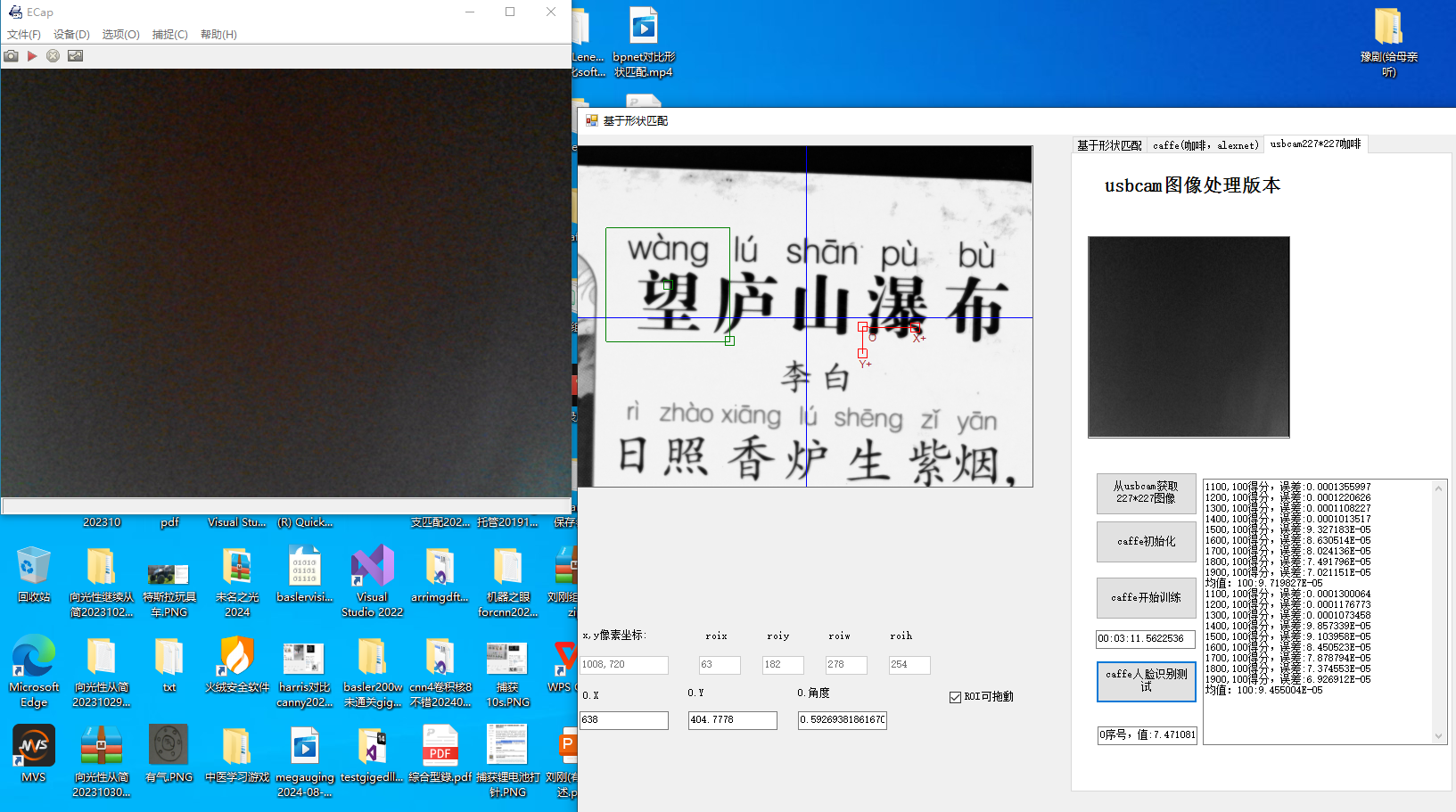
然后遮住摄像头,识别了一下,softmax处理后的结果是7左右,还行!
写程序,可能有bug,但首先要能跑!
caffe我们已经讲过了,lenet改的!这里我们把640*480的usb cam图像缩放到227*227的代码放出来:
我们打开电脑自带的摄像头软件,放置在left=0,top=0的地方,然后程序中创建一个timer,实时截屏rect=(0,0,640,480)区域,然后我们调用ZoomNormal函数处理成227*227图像:
private void timer1_Tick_1(object sender, EventArgs e)
{
Bitmap bmp = new Bitmap(640, 480, PixelFormat.Format32bppArgb);
// 创建一个画布
Graphics g = Graphics.FromImage(bmp);
Point hello = new Point(0, 80);
g.CopyFromScreen(hello, Point.Empty, new Size(640, 480));
// 释放画布资源
g.Dispose();
// pictureBox4.Image = bmp;//640*480转227*227
//从bitmap中获取图像
Rectangle rc = new Rectangle(0, 0, bmp.Width, bmp.Height);
System.Drawing.Imaging.BitmapData bmpdata = bmp.LockBits(rc,
System.Drawing.Imaging.ImageLockMode.ReadWrite,
bmp.PixelFormat);
IntPtr imageptr = bmpdata.Scan0;
int ww = bmp.Width;
int hh = bmp.Height;
int bytes=0;
if (bmp.PixelFormat == PixelFormat.Format24bppRgb)
{
bytes = ww * hh * 3;//此处针对的是24位位图
}
//if (bmp.PixelFormat == PixelFormat.Format8bppIndexed)PixelFormat.Format32bppRgb
if (bmp.PixelFormat == PixelFormat.Format32bppArgb)
{
bytes = ww * hh*4;
}
byte[] glob_rgbValues = new byte[bytes];
glob_buffer8 = new byte[ww * hh];
System.Runtime.InteropServices.Marshal.Copy(imageptr, glob_rgbValues, 0, bytes);
bmp.UnlockBits(bmpdata);
for (int j = 0; j < hh; j++)
{
for (int i = 0; i < ww; i = i + 1)
{
int nn = j * ww + i;
// glob_buffer8[nn] = glob_rgbValues[nn * 4];//此处是32位灰度图像(黑白);以下注释掉的是32位argb图像(彩色)
glob_buffer8[nn] = (byte)(glob_rgbValues[nn * 4]*0.114+glob_rgbValues[nn * 4+1]*0.587+glob_rgbValues[nn * 4+2]*0.299);
//不用glob_rgbValues[nn * 4+3]alpha分量
}
}
//zoom
newimg = new byte[227 * 227]; int neww = 0; int newh = 0;
ZoomNormal(glob_buffer8,ref newimg, 640, 480, ref neww, ref newh, 0.354, 0.473);
showbuffer2pictmod4(newimg,227,227,pictureBox4);
}
void ZoomNormal(byte[] image0, ref byte[] image1, int w, int h,
ref int outwidth, ref int outheight, double ZoomX, double ZoomY)
{
outwidth = (int)(w * ZoomX + 0.5);
outheight = (int)(h * ZoomY + 0.5);
int newbuffersize = outwidth * outheight;
image1 = new byte[newbuffersize];
int x = 0;
int y = 0;
int tempY;
int tempJ;
for (int j = 0; j < outheight; j++)
{
y = (int)(j / ZoomY + 0.5);
if (y >= h) y--;
tempY = y * w;
tempJ = j * outwidth;
for (int i = 0; i < outwidth; i++)
{
x = (int)(i / ZoomX + 0.5);
if (x >= w)
x--;
image1[tempJ + i] = image0[tempY + x];
}
}
}
最后,我们把newimg图像喂给caffe做输入,可以训练,也可以用来测试!
更多推荐
 18
18 0
0- 0


 已为社区贡献1条内容

所有评论(0)