
coco数据集目标检测论文_记录:labelme制作COCO目标检测数据集
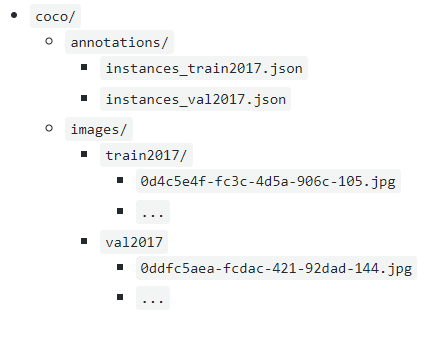
COCO格式的目标检测数据集的目录如下图所示一、在Anaconda中安装labelme 创建虚拟环境conda create --name=envlabelme_20200422 python=3.6activate envlabelme_20200422#并在其中安装labelmepip install labelme -i https://mirrors.aliyun.com/py...
·
COCO格式的目标检测数据集的目录如下图所示
一、在Anaconda中安装labelme
创建虚拟环境
conda create --name=envlabelme_20200422 python=3.6
activate envlabelme_20200422

#并在其中安装labelme
pip install labelme -i https://mirrors.aliyun.com/pypi/simple/

#打开labelme
labelme
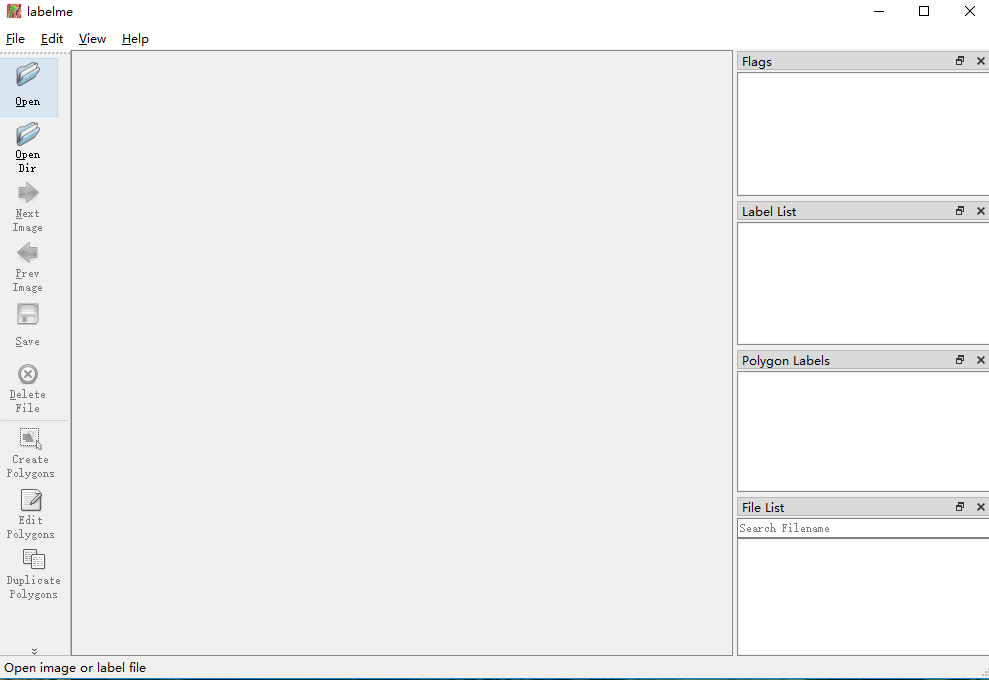
打开后如下图所示
二、标注图片
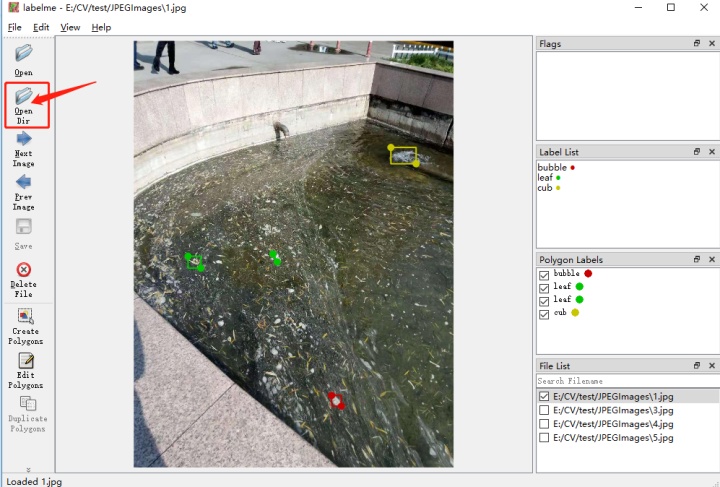
打开图片文件或图片文件夹,即可开始标注
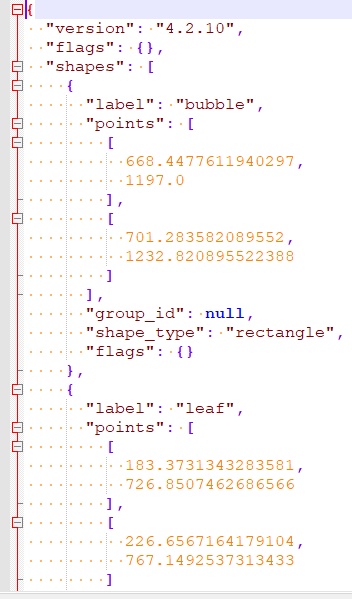
标注后,自动创建json文件,其内容如下图所示
参考
labelme 官网: https://github.com/wkentaro/labelme
更多推荐


 0
0 0
0- 0


 已为社区贡献1条内容

所有评论(0)