
JetPack 6.2上安装onnxruntime-gpu
python 版本: 3.10.12。
硬件平台及软件版本信息:
Software part of jetson-stats 4.3.1 - (c) 2024, Raffaello Bonghi
Model: NVIDIA Jetson Orin Nano Engineering Reference Developer Kit Super - Jetpack 6.2 [L4T 36.4.3]
NV Power Mode[1]: 25W
Serial Number: [XXX Show with: jetson_release -s XXX]
Hardware:
 - P-Number: p3767-0003
 - Module: NVIDIA Jetson Orin Nano (8GB ram)
Platform:
 - Distribution: Ubuntu 22.04 Jammy Jellyfish
 - Release: 5.15.148-tegra
jtop:
 - Version: 4.3.1
 - Service: Active
Libraries:
 - CUDA: 12.6.68
 - cuDNN: 9.3.0.75
 - TensorRT: 10.3.0.30
 - VPI: 3.2.4
 - Vulkan: 1.3.204
 - OpenCV: 4.8.0 - with CUDA: NO
python 版本: 3.10.12
1 尝试获取预编译软件包(失败)
地址: https://elinux.org/Jetson_Zoo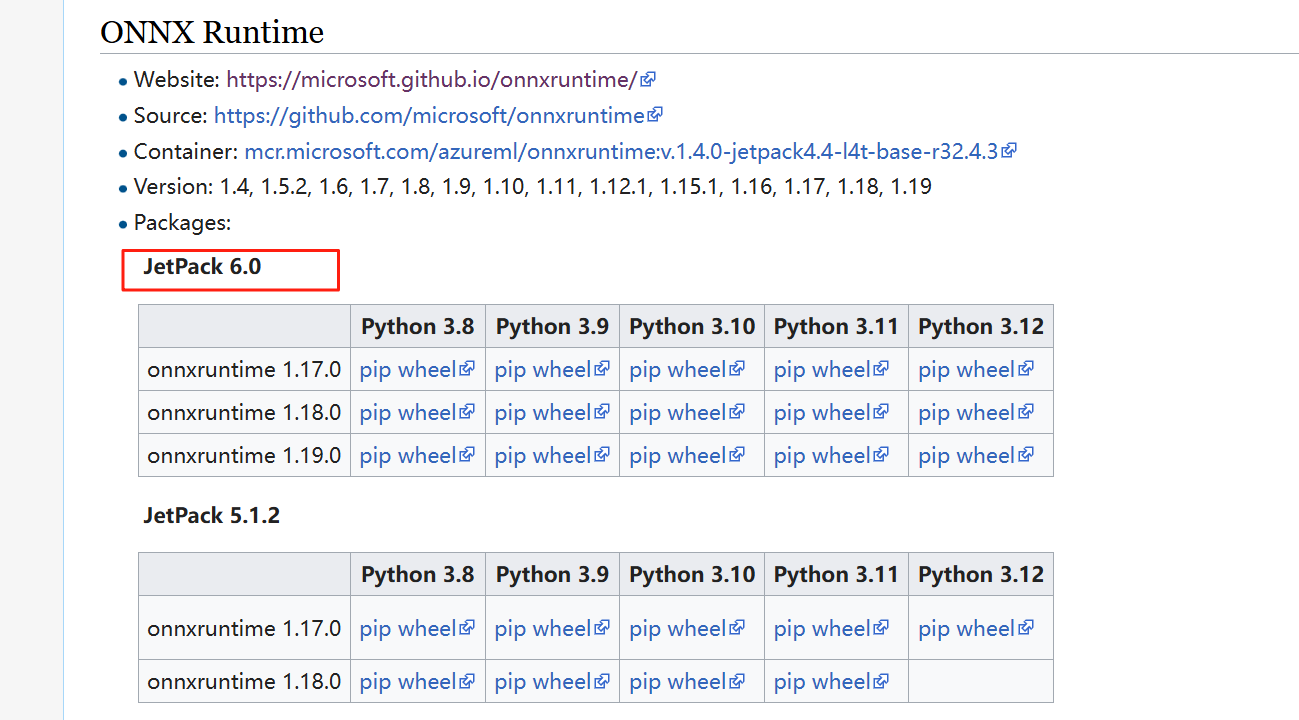
但是最新的只支持到JetPack 6.0, 没有对应的版本。
报着试试的心态, 分别下载了1.17, 1.18, 1.19 的版本进行安装,安装时均未报错,但是使用时无法使用gpu, 原因是缺少cudnn 8的.so 文件, 意味着这些预编译的包是基于cudunn 8.x 进行编译的, 无法在cudnn 9.x 上使用。
还有一个官方地址, 里面有很多预编译的包, https://pypi.jetson-ai-lab.dev/, 前一段时间能打开这个网址, 貌似也没有jetpack 6.2 的版本。 这段时间直接打不开这个网站了, 好像是网站挂掉了。
参考:
https://forums.developer.nvidia.com/t/onnxruntime-for-jetpack-6-2/325234
https://forums.developer.nvidia.com/t/jepack-6-1-on-jetson-orin-nx-not-support-onnxruntime/314303
https://forums.developer.nvidia.com/t/https-pypi-jetson-ai-lab-dev-jp6-cu126-is-down/338364
那么接下来只能基于源码自己进行编译了。
2 基于源码进行编译
官方源码地址: https://github.com/microsoft/onnxruntime
编译方法: https://github.com/microsoft/onnxruntime/blob/ae628b93/dockerfiles/README.md
./build.sh --update --config Release --build --build_wheel --use_cuda --cuda_home /usr/local/cuda --cudnn_home /usr/lib/aarch64-linux-gnu --parallel
一定要加并行编译, 否则巨慢。(我3个小时编译了40% 多, 心累~~)
失败尝试: 先后编译了v1.22.0, v1.21.0, v1.20.0, v1.19.2 都失败了
主要错误有2个:
- hash not match:
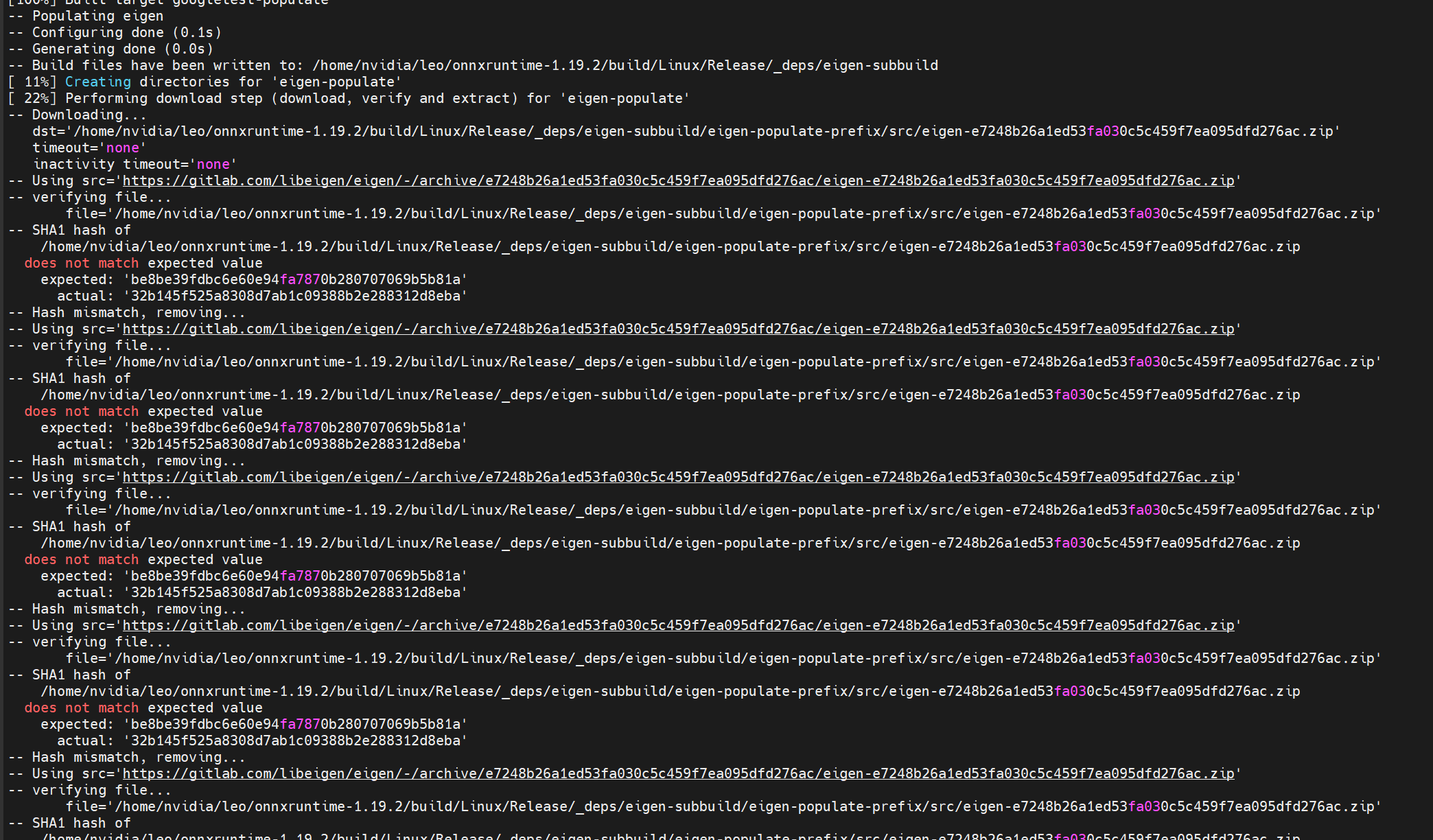
这个问题很常见, 在github 上的issue 上有很多人提到了这个问题, 貌似在v1.22, v1.21 等多个版本上都存在这个问题, 在最新的主分支上可能修复了这些问题。
参考:
https://github.com/microsoft/onnxruntime/issues/25098
- 网络原因无法下载一些包
这个的解决思路是在机器上装上vpn, 以便顺利从github 等地址下载依赖包。 装上vpn 之后依然经常出现下载失败的情况, 多尝试几次, 只要下载成功了就有缓存。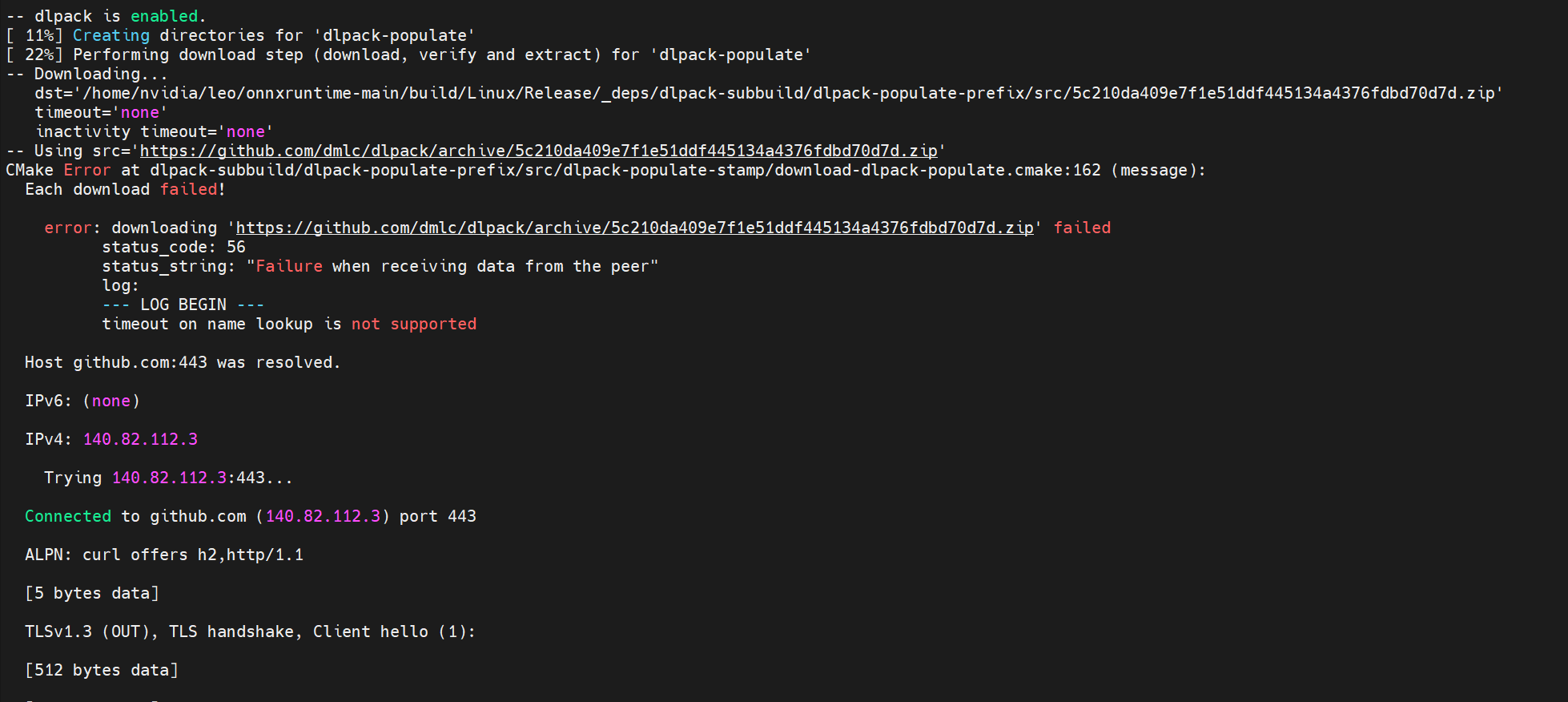
成功尝试: 编译主分支代码
也经历了几次失败, 主要是下载包失败。 多尝试几次后, 依赖包都下载缓存好,最终顺利编译完成。 当然编译的过程耗时很久, 大约有5个小时。
并行数太多, 内存不够, 报错如下:
gmake: *** [Makefile:146: all] Error 2
Namespace(build_dir='/home/nvidia/leo/onnxruntime-main/build/Linux', config=['Release'], update=True, build=True, clean=False, parallel=0, target=None, compile_no_warning_as_error=False, build_shared_lib=False, build_apple_framework=False, enable_lto=False, use_cache=False, use_binskim_compliant_compile_flags=False, cmake_extra_defines=None, cmake_path='cmake', cmake_generator=None, use_vcpkg=False, use_vcpkg_ms_internal_asset_cache=False, skip_submodule_sync=False, test=False, skip_tests=False, ctest_path='ctest', enable_onnx_tests=False, path_to_protoc_exe=None, fuzz_testing=False, enable_symbolic_shape_infer_tests=False, skip_onnx_tests=False, skip_winml_tests=False, skip_nodejs_tests=False, test_all_timeout='10800', enable_transformers_tool_test=False, build_micro_benchmarks=False, code_coverage=False, enable_training=False, enable_training_apis=False, enable_training_ops=False, enable_nccl=False, nccl_home=None, enable_memory_profile=False, enable_address_sanitizer=False, gen_doc=None, rv64=False, riscv_toolchain_root='', riscv_qemu_path='', android=False, android_abi='arm64-v8a', android_api=27, android_sdk_path='', android_ndk_path='', android_cpp_shared=False, android_run_emulator=False, build_wasm=False, build_wasm_static_lib=False, emsdk_version='4.0.8', enable_wasm_simd=False, enable_wasm_relaxed_simd=False, enable_wasm_threads=False, disable_wasm_exception_catching=False, enable_wasm_api_exception_catching=False, enable_wasm_exception_throwing_override=True, wasm_run_tests_in_browser=False, enable_wasm_profiling=False, enable_wasm_debug_info=False, wasm_malloc=None, emscripten_settings=None, use_full_protobuf=False, use_mimalloc=False, external_graph_transformer_path=None, use_extensions=False, extensions_overridden_path=None, minimal_build=None, include_ops_by_config=None, enable_reduced_operator_type_support=False, disable_contrib_ops=False, disable_ml_ops=False, disable_rtti=False, disable_types=[], disable_exceptions=False, enable_pybind=False, build_wheel=True, wheel_name_suffix=None, skip_keras_test=False, build_csharp=False, build_nuget=False, msbuild_extra_options=None, build_java=False, build_nodejs=False, build_objc=False, use_cuda=True, cuda_version=None, cuda_home='/usr/local/cuda', cudnn_home='/usr/lib/aarch64-linux-gnu', enable_cuda_line_info=False, enable_cuda_nhwc_ops=False, disable_cuda_nhwc_ops=False, enable_cuda_minimal_build=False, nvcc_threads=-1, enable_nvtx_profile=False, enable_cuda_profiling=False, use_dnnl=False, dnnl_gpu_runtime='', dnnl_opencl_root='', dnnl_aarch64_runtime='', dnnl_acl_root='', use_openvino=None, use_tensorrt=False, use_tensorrt_builtin_parser=True, use_tensorrt_oss_parser=False, tensorrt_home=None, tensorrt_rtx_home=None, use_nv_tensorrt_rtx=False, use_dml=False, dml_path='', dml_external_project=False, use_nnapi=False, nnapi_min_api=None, use_coreml=False, use_qnn=None, qnn_home=None, use_snpe=False, snpe_root=None, use_vitisai=False, use_armnn=False, armnn_relu=False, armnn_bn=False, armnn_home=None, armnn_libs=None, use_acl=False, acl_home=None, acl_libs=None, no_kleidiai=False, use_rknpu=False, use_cann=False, cann_home=None, use_migraphx=False, migraphx_home=None, use_rocm=False, rocm_version=None, rocm_home=None, use_webnn=False, use_jsep=False, use_webgpu=False, use_external_dawn=False, wgsl_template='static', use_xnnpack=False, use_vsinpu=False, use_azure=False, enable_lazy_tensor=False, ms_experimental=False, enable_msinternal=False, use_triton_kernel=False, use_lock_free_queue=False, enable_generic_interface=False, allow_running_as_root=False, enable_external_custom_op_schemas=False)
nvcc_threads=1 to ensure memory per thread >= 4GB for available_memory=6305120256 and fmha_parallel_jobs=6
Traceback (most recent call last):
  File "/home/nvidia/leo/onnxruntime-main/tools/ci_build/build.py", line 2633, in <module>
    sys.exit(main())
  File "/home/nvidia/leo/onnxruntime-main/tools/ci_build/build.py", line 2535, in main
    build_targets(args, cmake_path, build_dir, configs, num_parallel_jobs, args.target)
  File "/home/nvidia/leo/onnxruntime-main/tools/ci_build/build.py", line 1346, in build_targets
    run_subprocess(cmd_args, env=env)
  File "/home/nvidia/leo/onnxruntime-main/tools/ci_build/build.py", line 148, in run_subprocess
    return run(*args, cwd=cwd, capture_stdout=capture_stdout, shell=shell, env=my_env)
  File "/home/nvidia/leo/onnxruntime-main/tools/python/util/run.py", line 50, in run
    completed_process = subprocess.run(
  File "/usr/lib/python3.10/subprocess.py", line 526, in run
    raise CalledProcessError(retcode, process.args,
注意:编译flash-attention 时, 显存消耗巨大, 单个线程需要4G以上, 因此并行数最多只能是1。 编译完flash-attention 后再把并行数调大, 这样可以加快编译速度。
Jetson Orin 有6个核数, 如果设置了并行编译且不指定并行数量, 默认用满6个核。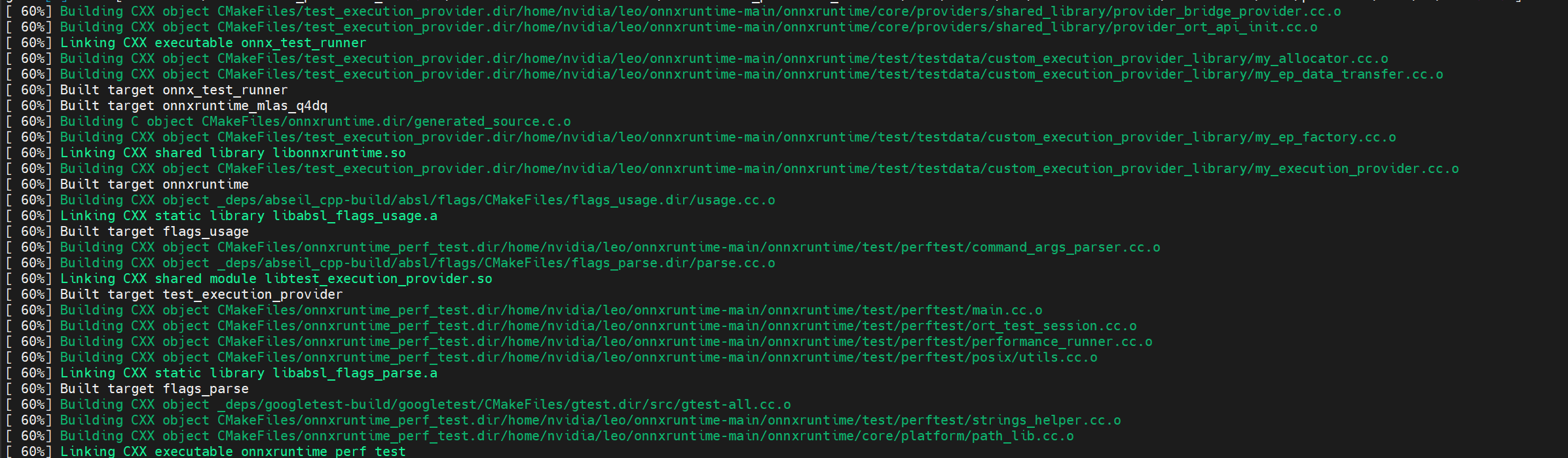
当看到满屏绿色的进度时, 感觉离成功不远了。
编译好的onnxruntime-gpu 的whl 包可以从onnxruntime_gpu-1.23.0-cp310-cp310-linux_aarch64.whl 下载。
jetpack 上更多python 包的获取和安装可参考我的github 项目: https://github.com/leo038/jetson-ai-lab
更多推荐


 54
54 0
0- 0


 已为社区贡献6条内容

所有评论(0)