
安装tensorflow-gpu的保姆级教程
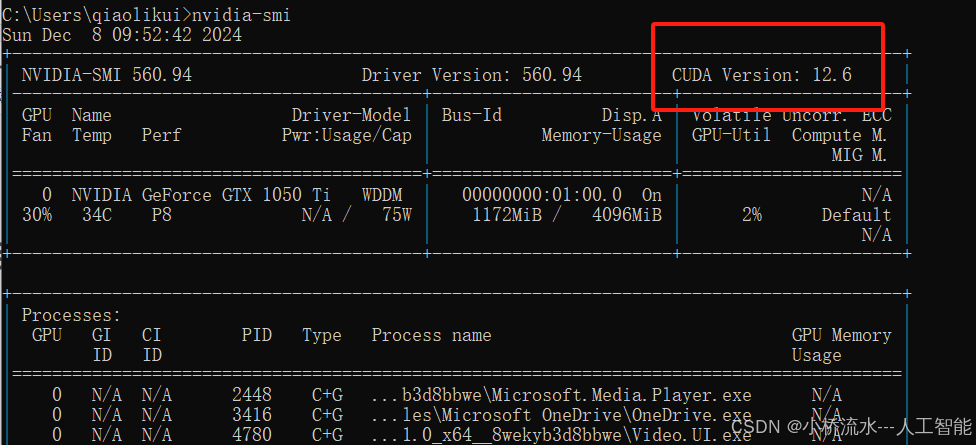
在命令窗口(cmd)中输出nvidia-smi。
·
1. 查看电脑的CUDA版本
在命令窗口(cmd)中输出
nvidia-smi
2. 查找对应的tensorflow-gpu版本
https://tensorflow.google.cn/install/source_windows?hl=en
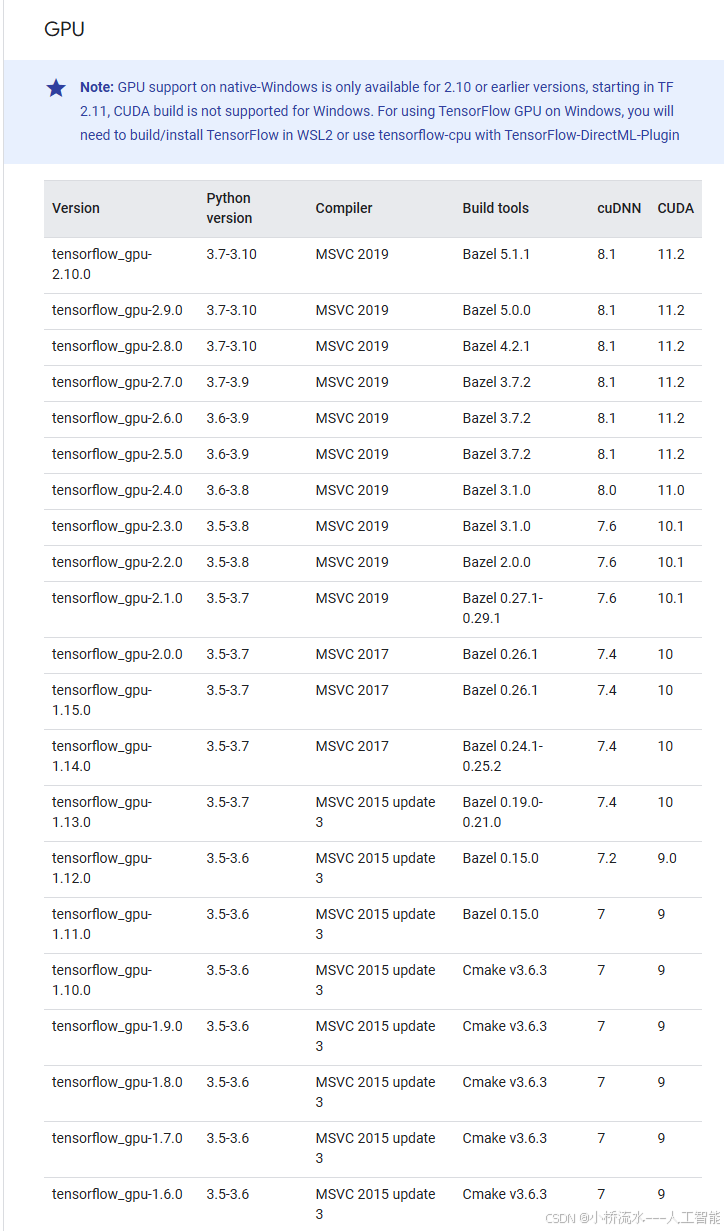
3. 发现目前最大的CUDA是11.2 ,我们是12.6,因此可以安装tensorflow_gpu-2.10.0
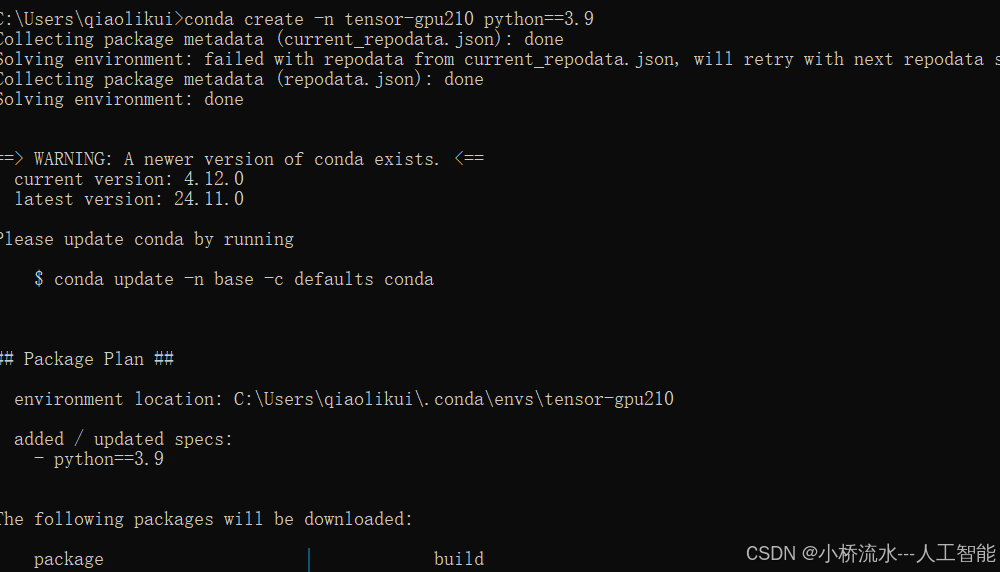
4.先创建一个虚拟环境,要求python版本是 3.7-3.10
conda create -n tensor-gpu210 python==3.9
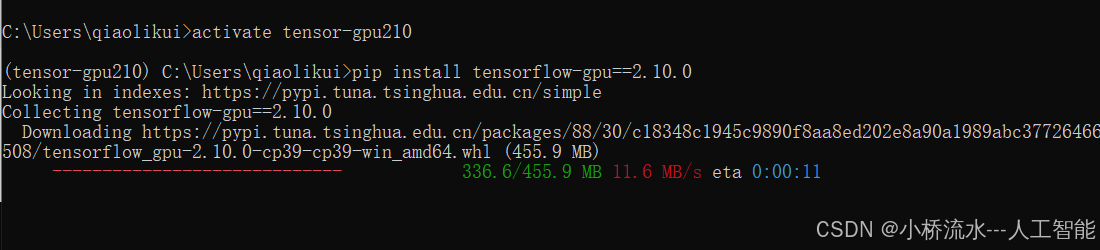
5. 激活虚拟环境,开始安装tensorflow_gpu-2.10.0

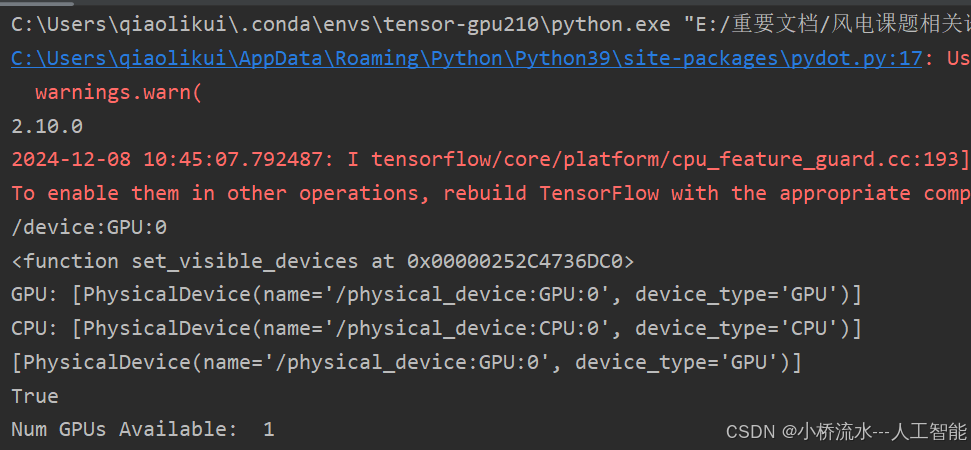
6. 安装完成,测试一下
import tensorflow as tf
tf.__version__
import tensorflow as tf

print(tf.__version__)
print(tf.test.gpu_device_name())
print(tf.config.experimental.set_visible_devices)
print('GPU:', tf.config.list_physical_devices('GPU'))
print('CPU:', tf.config.list_physical_devices(device_type='CPU'))
print(tf.config.list_physical_devices('GPU'))
print(tf.test.is_gpu_available())
# 输出可用的GPU数量
print("Num GPUs Available: ", len(tf.config.experimental.list_physical_devices('GPU')))
更多推荐
 6
6 0
0- 0


 已为社区贡献5条内容

所有评论(0)