
本地安装gpu版本torch(超简单)
无痛安装gpu版本torch
·
1)创建并激活环境
conda create -n DOT1 python==3.9
conda activate DOT1
2)方法1:命令行安装torch
① 查看cuda版本【12.6】
nvidia-smi # 查看电脑支持的cuda版本
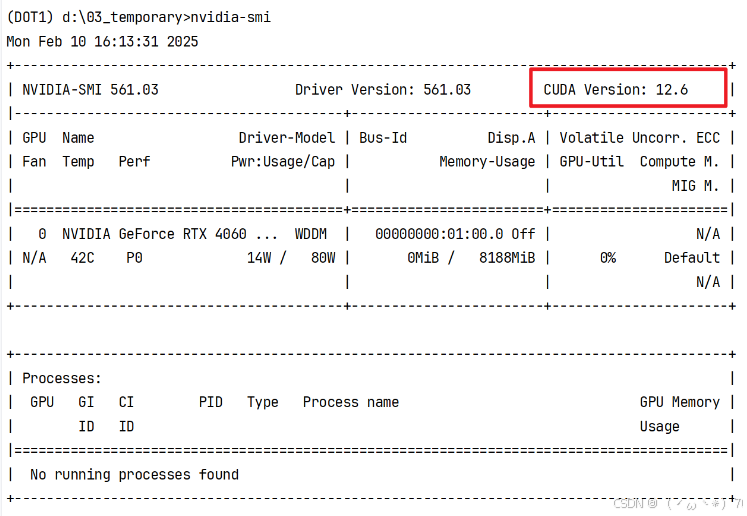
nvcc -V # 查看安装的cuda版本② 去pytorch官网找命令
pytorch官网PyTorch
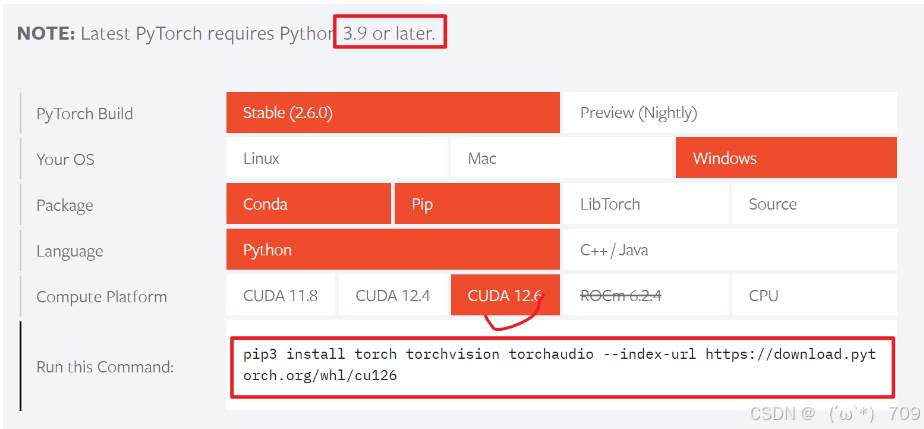
③ 直接输入图中命令:
pip3 install torch torchvision torchaudio --index-url https://download.pytorch.org/whl/cu1263)方法2:本地安装
① 输入命令
pip3 install torch torchvision torchaudio --index-url https://download.pytorch.org/whl/cu126② 得到下图,可以看出,卡在了这一步。
点击图中网站:

③ 点击另存为:
随便找一个地方。我的存储路径是:
D:/03_temporary/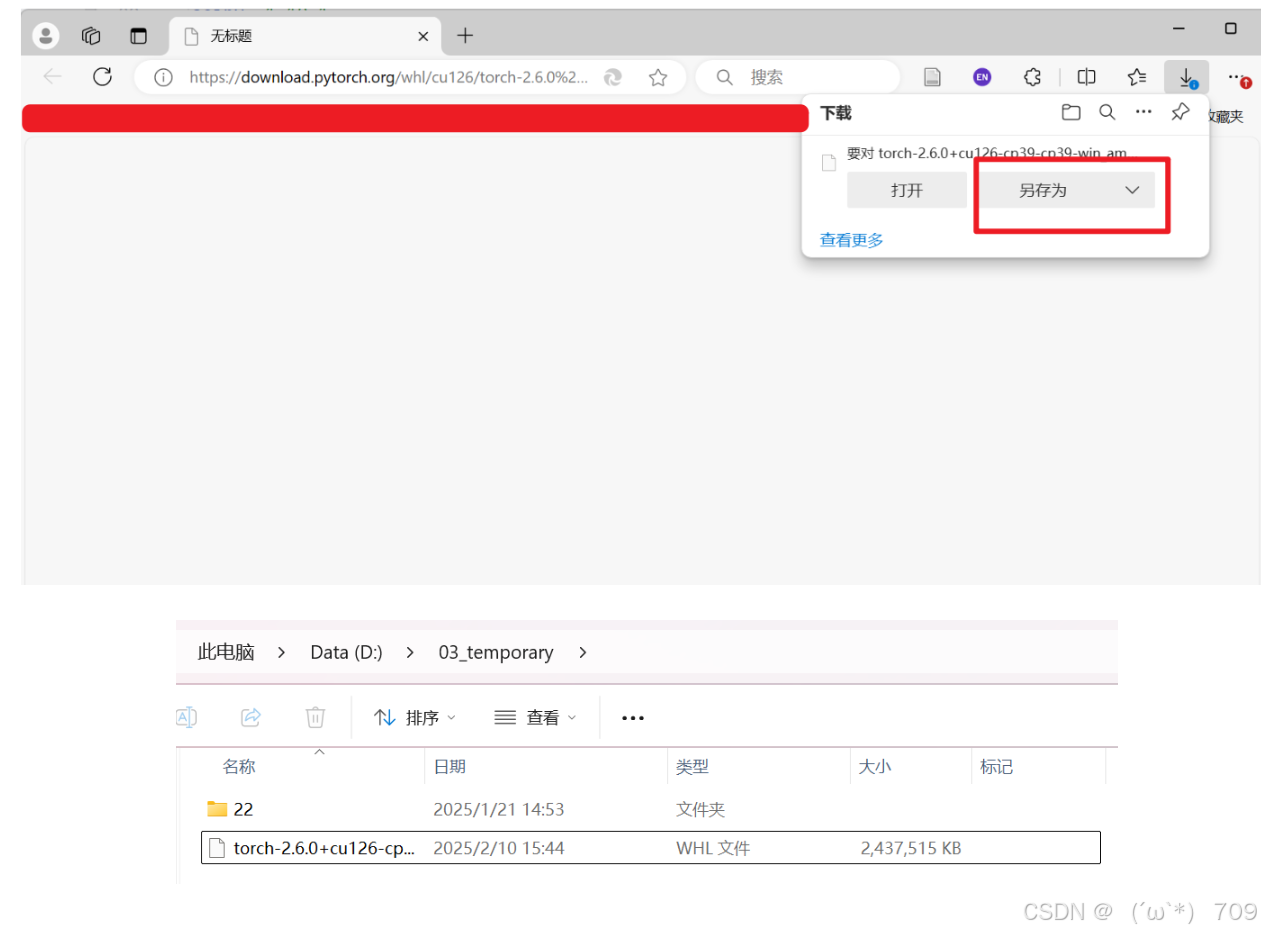
④ 在命令行下载
cd d:/03_temporary/
pip install torch-2.6.0+cu126-cp39-cp39-win_amd64.whl 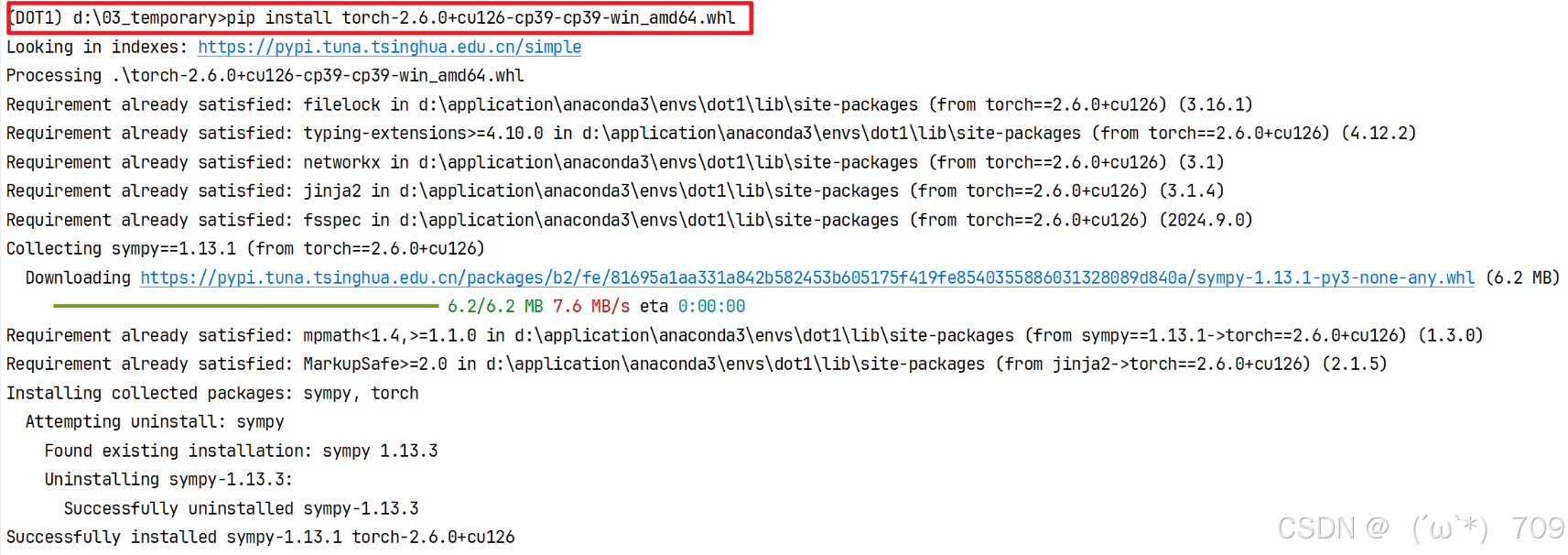
⑤ 安装torchvision 和 torchaudio
(没有tizi也可以直接安装)
pip3 install torch torchvision torchaudio --index-url https://download.pytorch.org/whl/cu126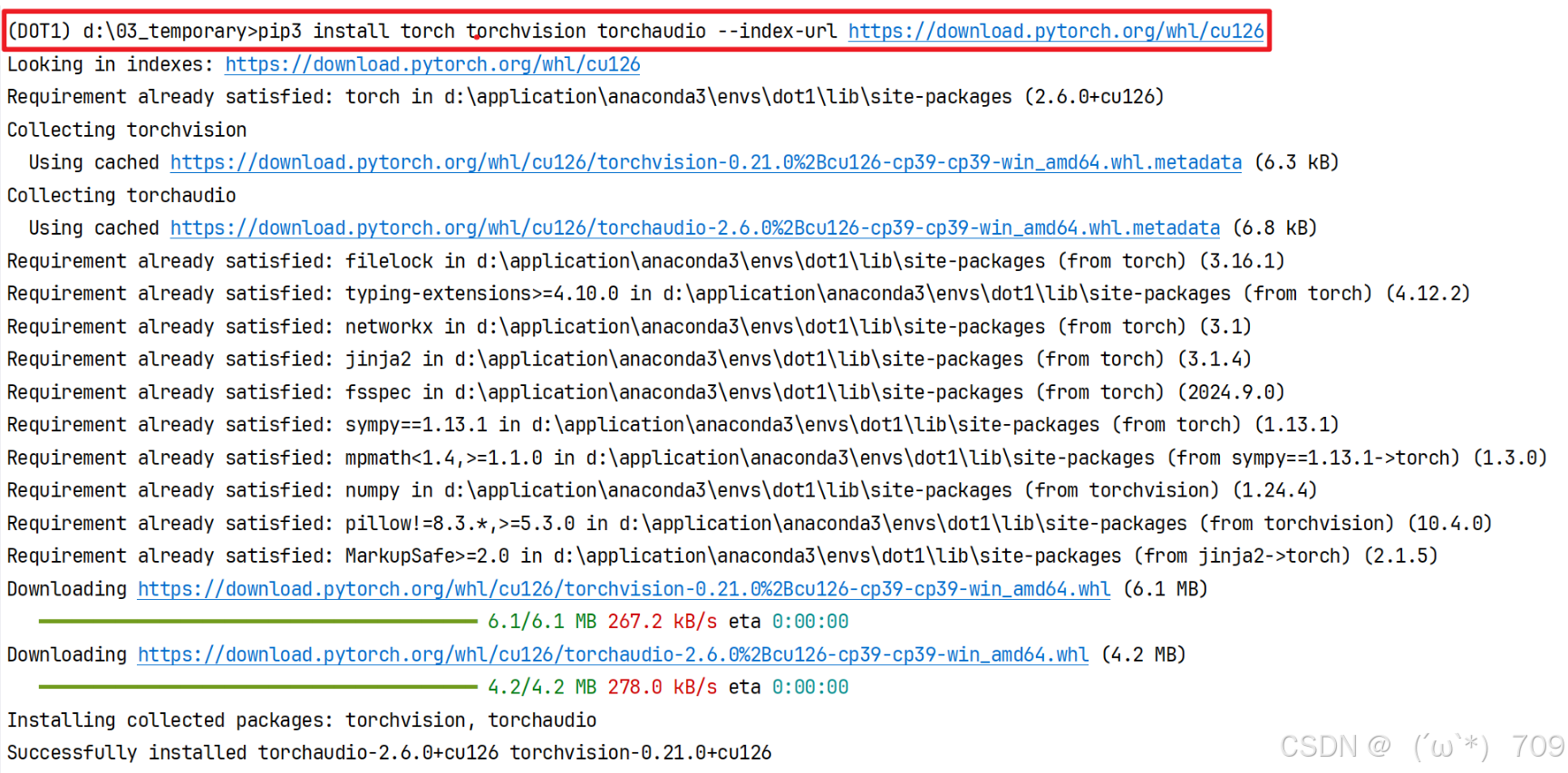
4)检查是否成功
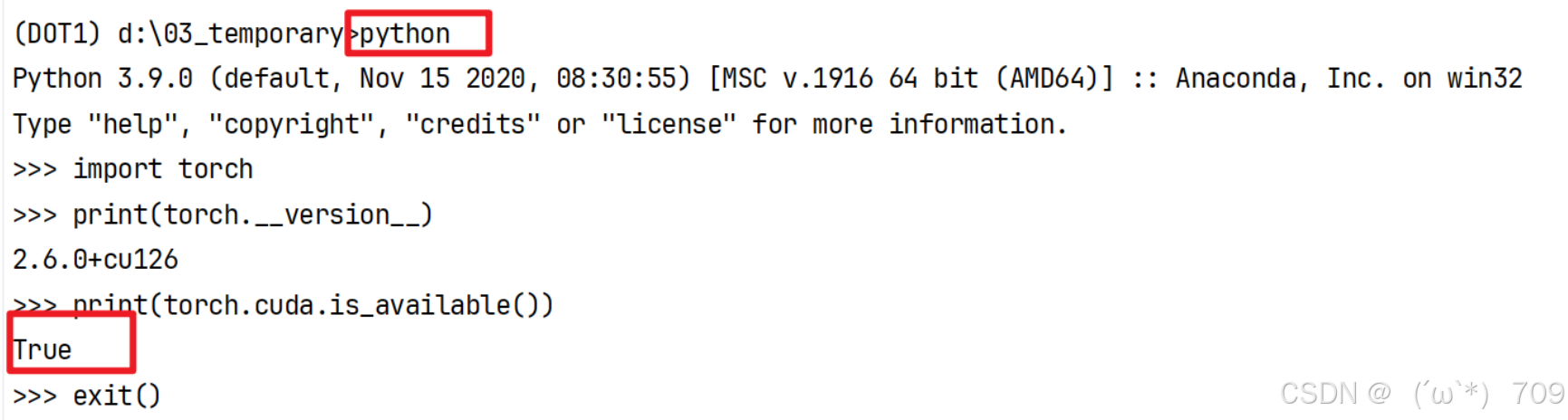
查看gpu版本的torch是否可用
python
import torch
print(torch.__version__)
print(torch.cuda.is_available())
输出如下图:说明可用。
[附录] 命令汇总
pip3 install torch torchvision torchaudio --index-url https://download.pytorch.org/whl/cu126
cd d:/03_temporary/
pip install torch-2.6.0+cu126-cp39-cp39-win_amd64.whl
pip3 install torch torchvision torchaudio --index-url https://download.pytorch.org/whl/cu126
python
import torch
print(torch.__version__)
print(torch.cuda.is_available())补充
补充1:若要安装以前的老版本,同理:
官网在此:
补充2:其它参考网站:
更多推荐
 8
8 0
0- 0


 已为社区贡献1条内容

所有评论(0)