
AI_report 部署注意事项与算力瓶颈解决方案
·
安装基础依赖包
pip3 install pydub
pip3 install loguru
pip3 install pandas
安装docx依赖
① 先用 apt 装系统 lxml(通常是有的)
sudo apt updatesudo apt install -y python3-lxml② 再用 pip 装 python-docx(不装依赖)
pip3 install python-docx --no-deps👉 因为:
-
python-docx本身是 纯 Python -
依赖只有
lxml -
我们已经提前解决了
lxml
安装LibreOffice
如果这台 sophon 机器允许装软件,直接:
sudo apt install -y libreoffice或者精简一点(只要转 PDF):
sudo apt install -y libreoffice-writer验证:
which libreoffice
libreoffice --version
正常安装特别慢,建议换国内 ARM 镜像源(立刻提速)
ports.ubuntu.com 在国内基本必慢,
必须换成 清华 / 阿里 / 中科大 ARM ports 镜像。
⭐ 推荐:清华 TUNA(ARM 支持最好)
1️⃣ 备份原 sources.list
sudo cp /etc/apt/sources.list /etc/apt/sources.list.bak2️⃣ 替换为清华 ARM ports 源
sudo nano /etc/apt/sources.list全部替换为:
deb https://mirrors.tuna.tsinghua.edu.cn/ubuntu-ports/ focal main universe multiverse restricted
deb https://mirrors.tuna.tsinghua.edu.cn/ubuntu-ports/ focal-updates main universe multiverse restricted
deb https://mirrors.tuna.tsinghua.edu.cn/ubuntu-ports/ focal-security main universe multiverse restricted
保存退出。
3️⃣ 更新 + 继续安装(断点续下)
sudo apt clean
sudo apt update
sudo apt install -y libreoffice-writer
⚠️ 强烈建议用
libreoffice-writer,别装全家桶 libreoffice
转 docx → pdf 只需要 writer
体积小很多(但还是不小)
👉 一般会从 kB/s → MB/s
安装字体
解压目录下的字体
unzip SourceHanSansSC.zip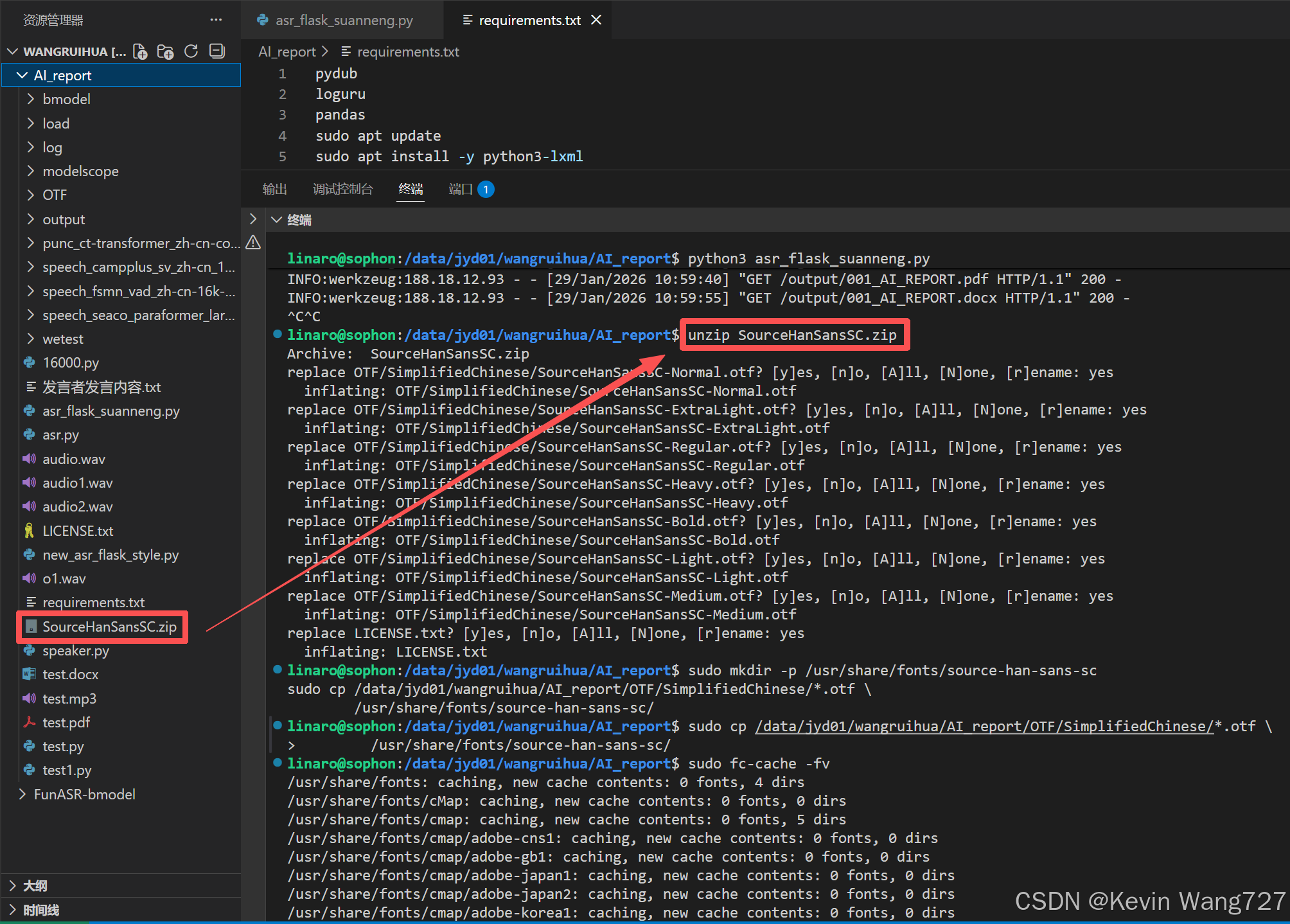
sudo mkdir -p /usr/share/fonts/source-han-sans
sudo cp SourceHanSansSC/*.otf /usr/share/fonts/source-han-sans/

3️⃣ 刷新字体缓存(非常关键)
sudo fc-cache -fv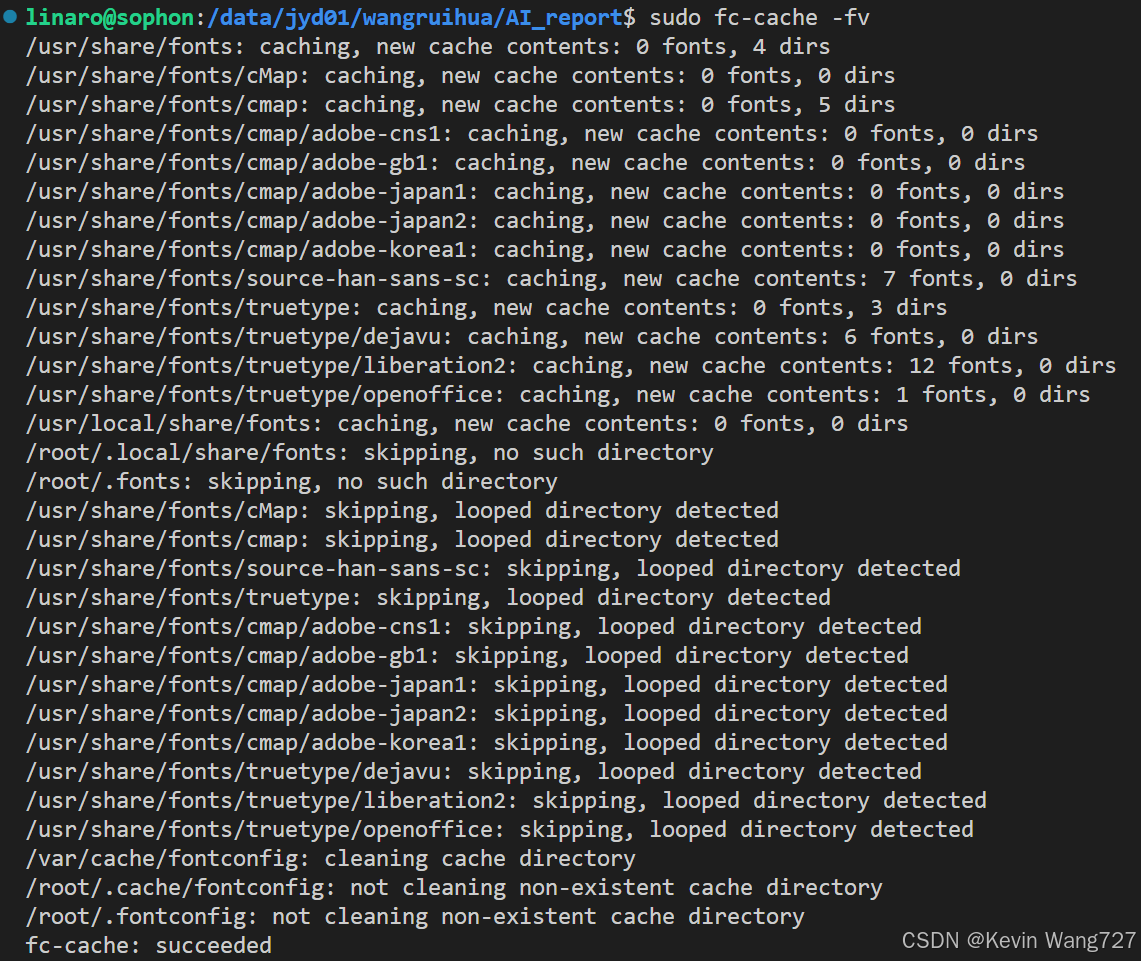
4️⃣ 验证系统是否识别成功
fc-list | grep "Source Han Sans"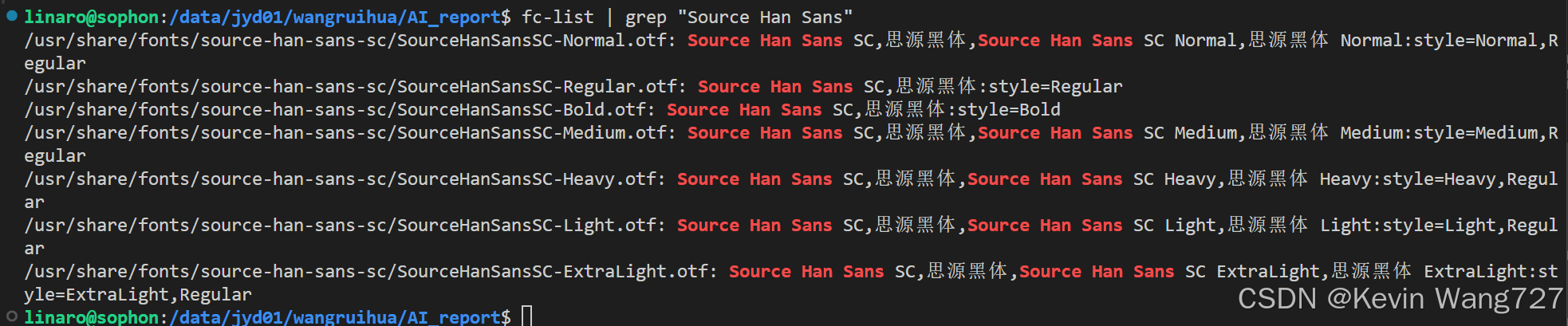
改源码
算能盒子应为cpu与tpu算力瓶颈,跑正常音频偶尔会崩溃
需要手动限制,核心逻辑是❌ 不能一次性喂超长文本给 punc bmodel(>684)
按ctrl点击进去AutoModel函数,进行源码改造:
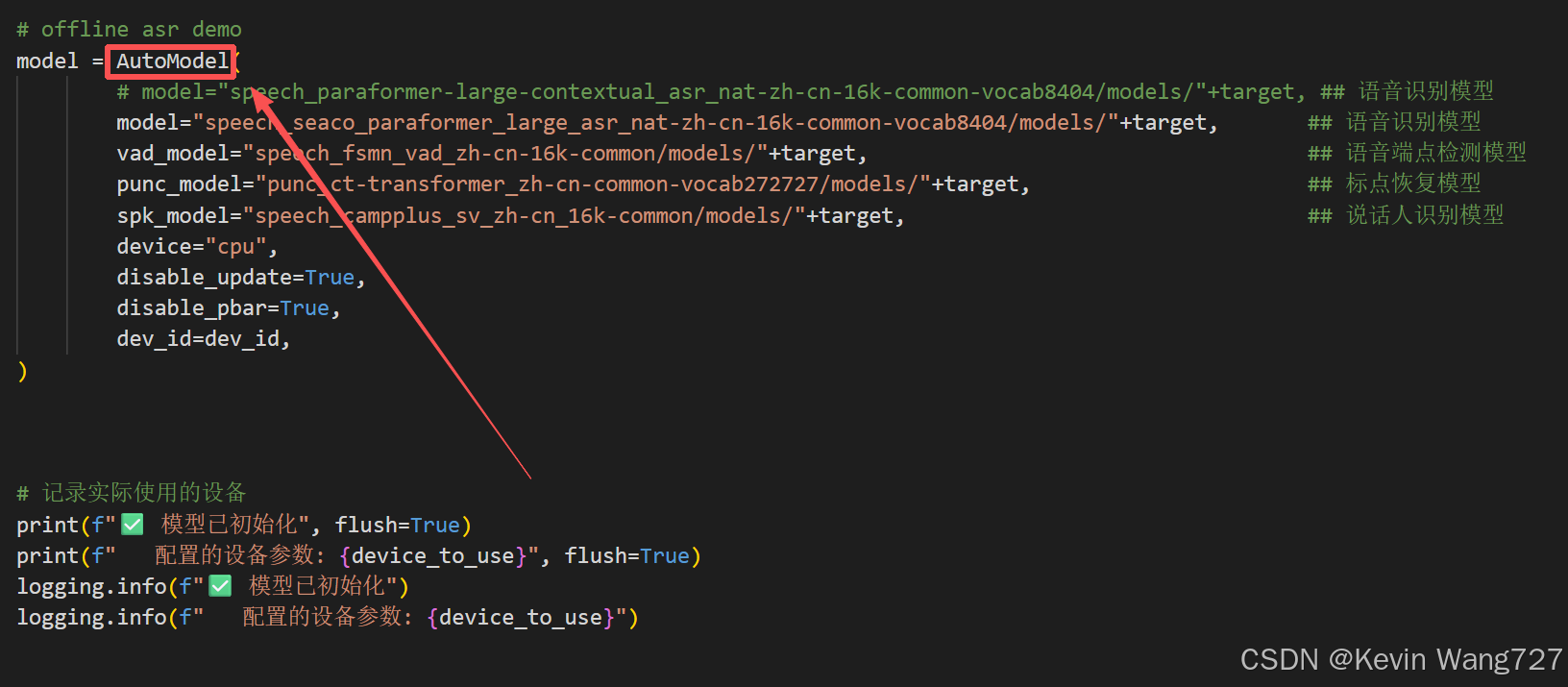
按住ctrf + F 查找 “ step.3 compute punc model ”相关代码片段
step.3 compute punc model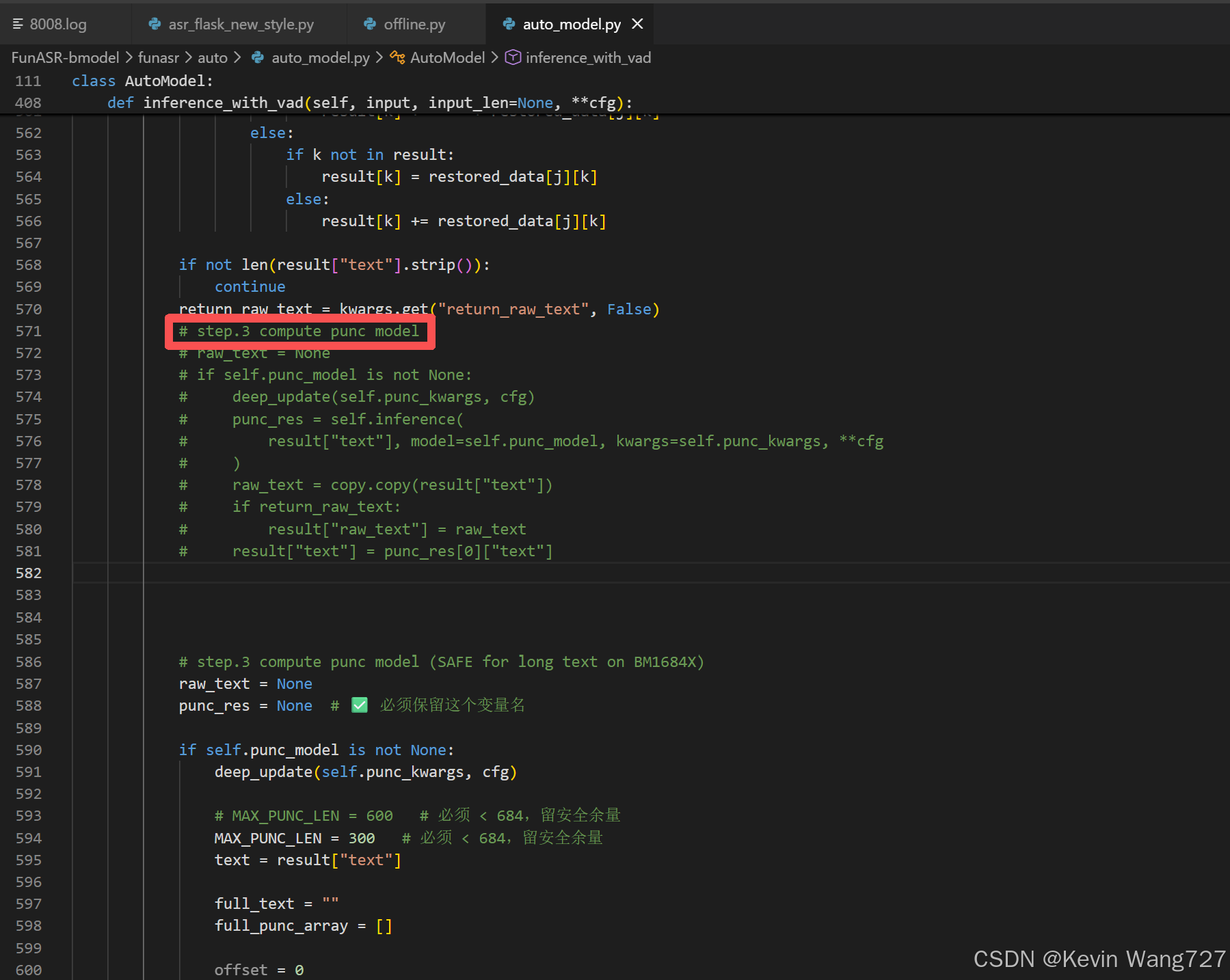
使用以下改造好的代码片段进行整段替换:
# step.3 compute punc model (SAFE for long text on BM1684X)
            raw_text = None
            punc_res = None  # ✅ 必须保留这个变量名

            if self.punc_model is not None:
                deep_update(self.punc_kwargs, cfg)

                # MAX_PUNC_LEN = 600   # 必须 < 684,留安全余量
                MAX_PUNC_LEN = 300   # 必须 < 684,留安全余量
                text = result["text"]

                full_text = ""
                full_punc_array = []

                offset = 0
                for i in range(0, len(text), MAX_PUNC_LEN):
                    sub_text = text[i:i + MAX_PUNC_LEN]

                    # 单段跑 punc
                    punc_res_i = self.inference(
                        sub_text,
                        model=self.punc_model,
                        kwargs=self.punc_kwargs,
                        **cfg
                    )

                    # 1️⃣ 拼 text
                    sub_text_punc = punc_res_i[0]["text"]
                    full_text += sub_text_punc

                    # 2️⃣ 拼 punc_array(⚠️ 必须)
                    sub_punc_array = punc_res_i[0].get("punc_array", [])
                    full_punc_array.extend(sub_punc_array)

                # 保留 raw_text(后面 speaker / timestamp 要用)
                raw_text = copy.copy(text)
                if return_raw_text:
                    result["raw_text"] = raw_text

                # 重新构造一个“完整的 punc_res”
                punc_res = [{
                    "text": full_text,
                    "punc_array": full_punc_array,
                }]

                result["text"] = full_text
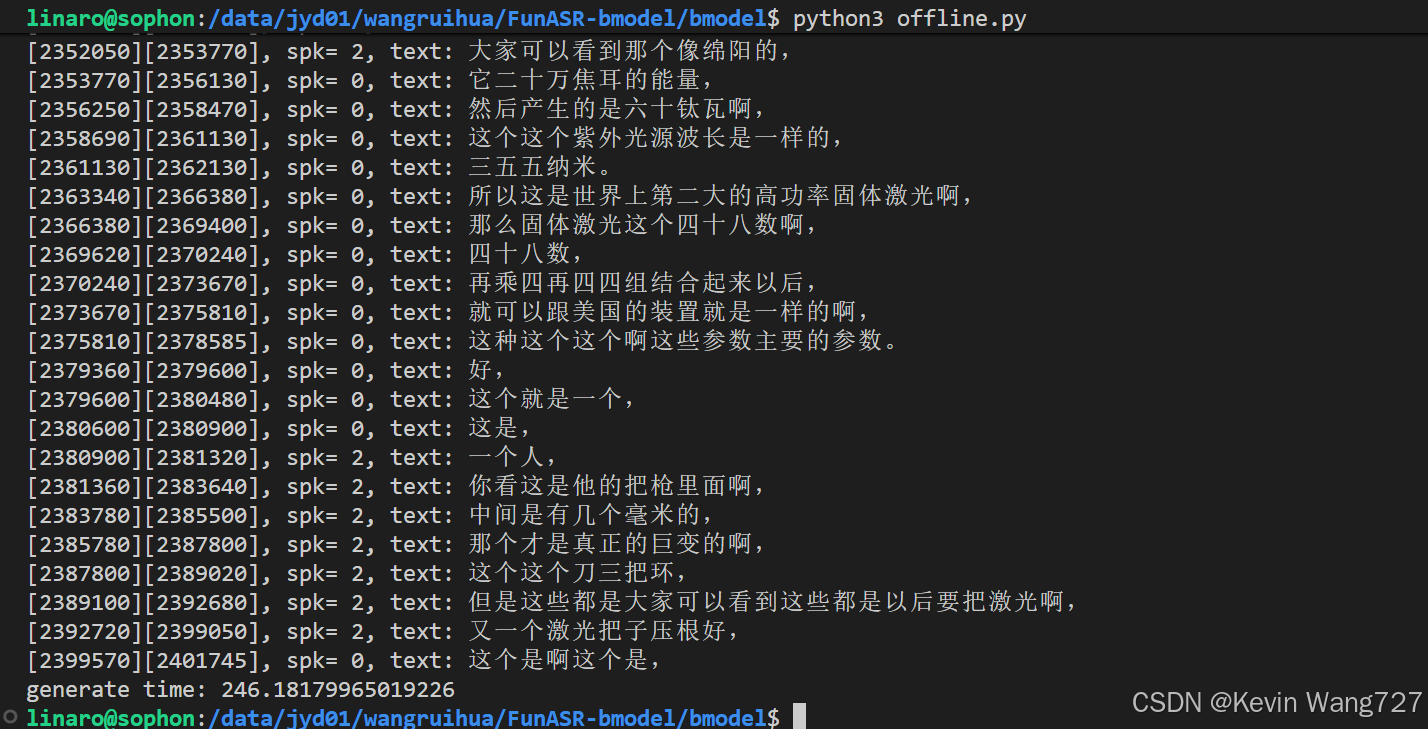
超长高密度音频便可正常运行
此方法亦适用与于cpu与gpu算力受限设备上
更多推荐



 0
0 0
0- 0


 已为社区贡献1条内容

所有评论(0)